The World area is your campaign reference, where you can search your characters, NPCs, locations, factions, items and any sections of your own.
Create an entry
- Open World and choose New... at the bottom of the sidebar.
- Pick the type of entry, for example NPC or Location.
- Swap Untitled for the name of the entry.
- Write the details your group needs in the description.
You can also hover a section heading in the sidebar and select the plus beside it.
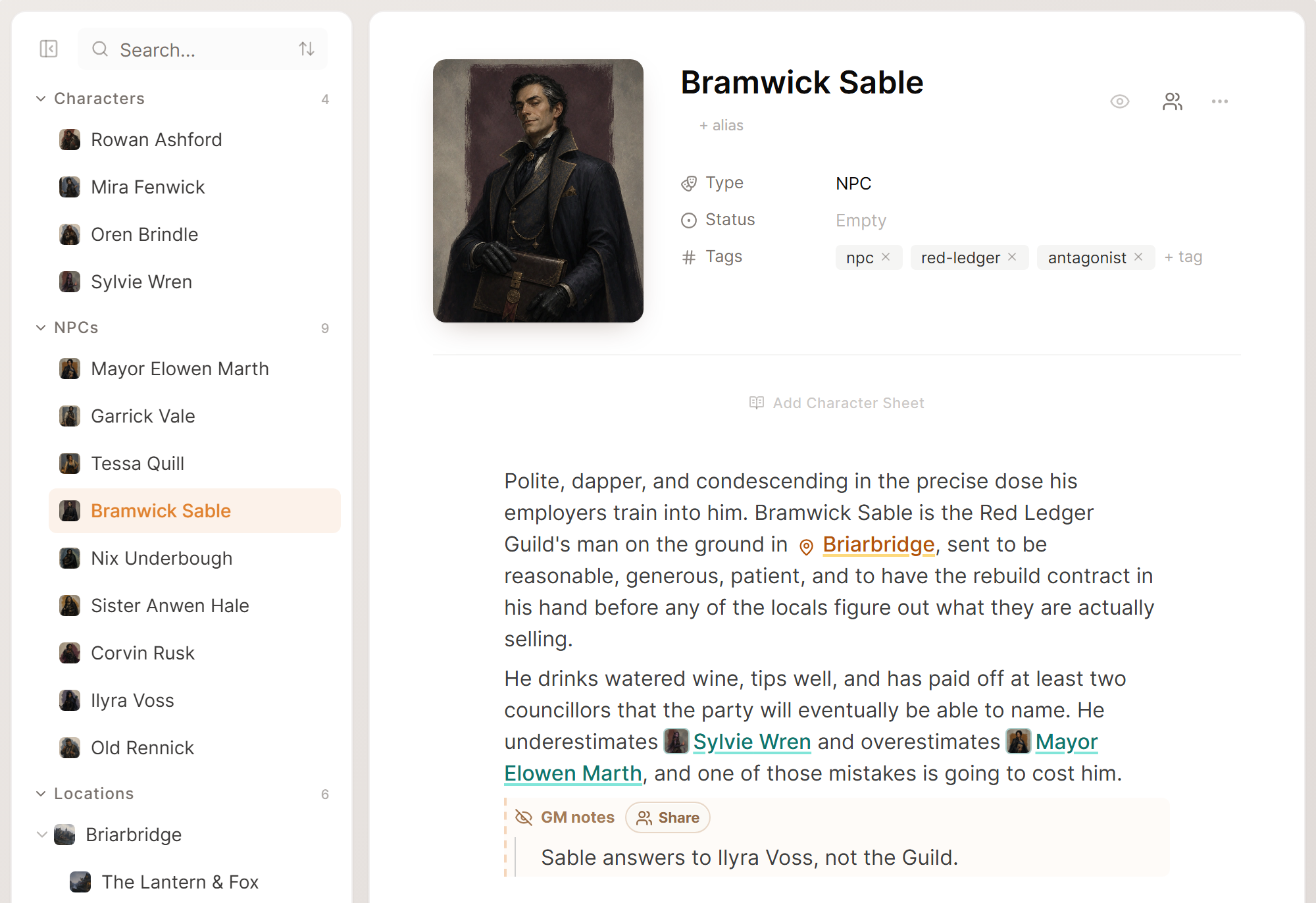
Edit an entry
Pick an entry in the sidebar to open it. The page edits in place and saves as you type, so you do not need a save button.
For the same person or place, keep one full entry instead of several small ones. On a character page, put nicknames and titles in as aliases, so that different forms of a name still lead to the same page.
Add pronouns and other character details
Each time Saga20 writes a session summary, it reads the pages for your characters. How the recap describes a character depends on what that character's page says.
- Open the character in World.
- Move the pointer over the details below the name, then select Add property.
- Choose Pronouns, Relationship to Party, or Custom text if you want a detail of your own.
- Pick a value on the new row, or enter one yourself.
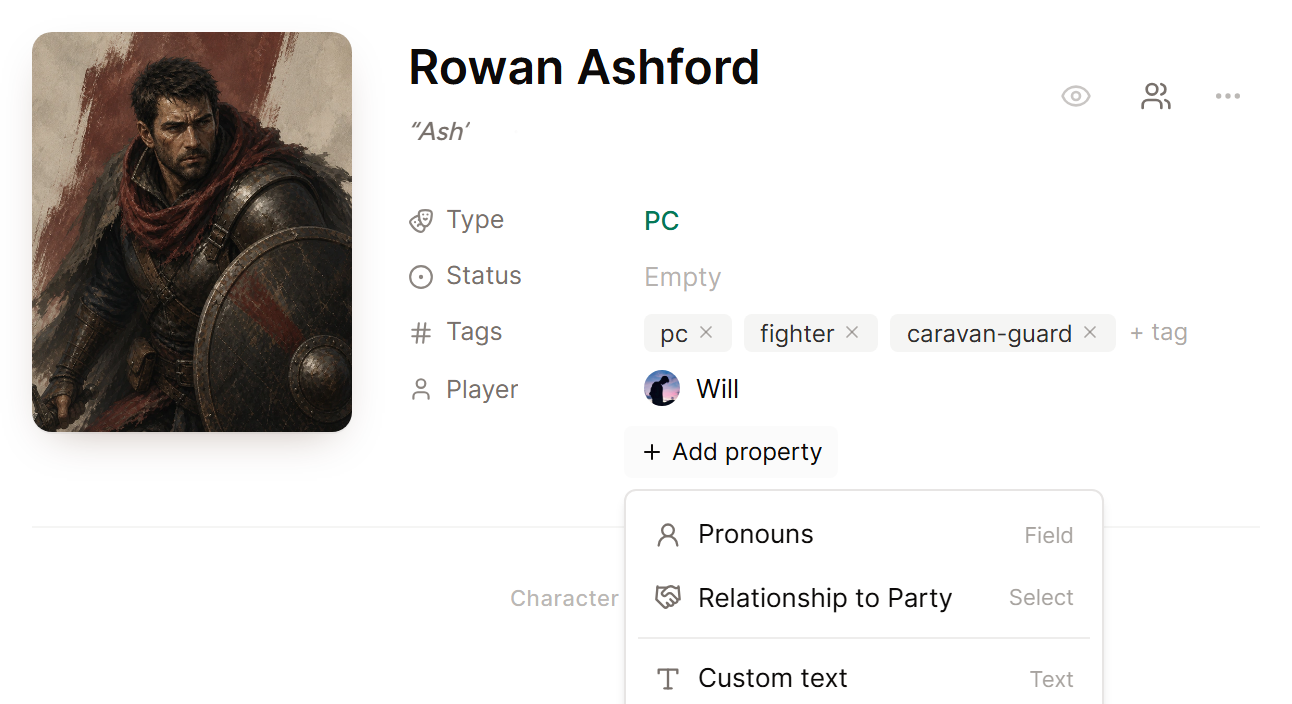
Should someone's pronouns keep coming out wrong in summaries, set Pronouns on that character's page. This matters most when a player changes characters in the middle of a campaign, or when the name alone could suit anyone. Summaries written earlier hold their wording until you regenerate or edit them.
Add a picture
Select Add image on a character's portrait to upload one. Locations, factions, items and custom entries take an icon beside the name, plus a cover image from Add cover image. Pictures you upload count toward your image storage.
Choose what players see
New entries show up on your campaign wiki. To hide an entry from the wiki, click the eye beside its name, and click that eye again to bring it back.
Private planning belongs in a private note. Lore that is safe for players can stay visible on the campaign wiki. See Add private notes.
Past the built-in sections, you can add sections of your own for whatever your world needs. See Create a custom world section.
Next, link your entries in session notes so that every recap points to the correct pages.
