 Automatic D&D notes
D&D notes that write themselves
Record the game and Saga20 writes them up. Names, promises, the threads you left hanging, all filed into your campaign wiki before the next session.
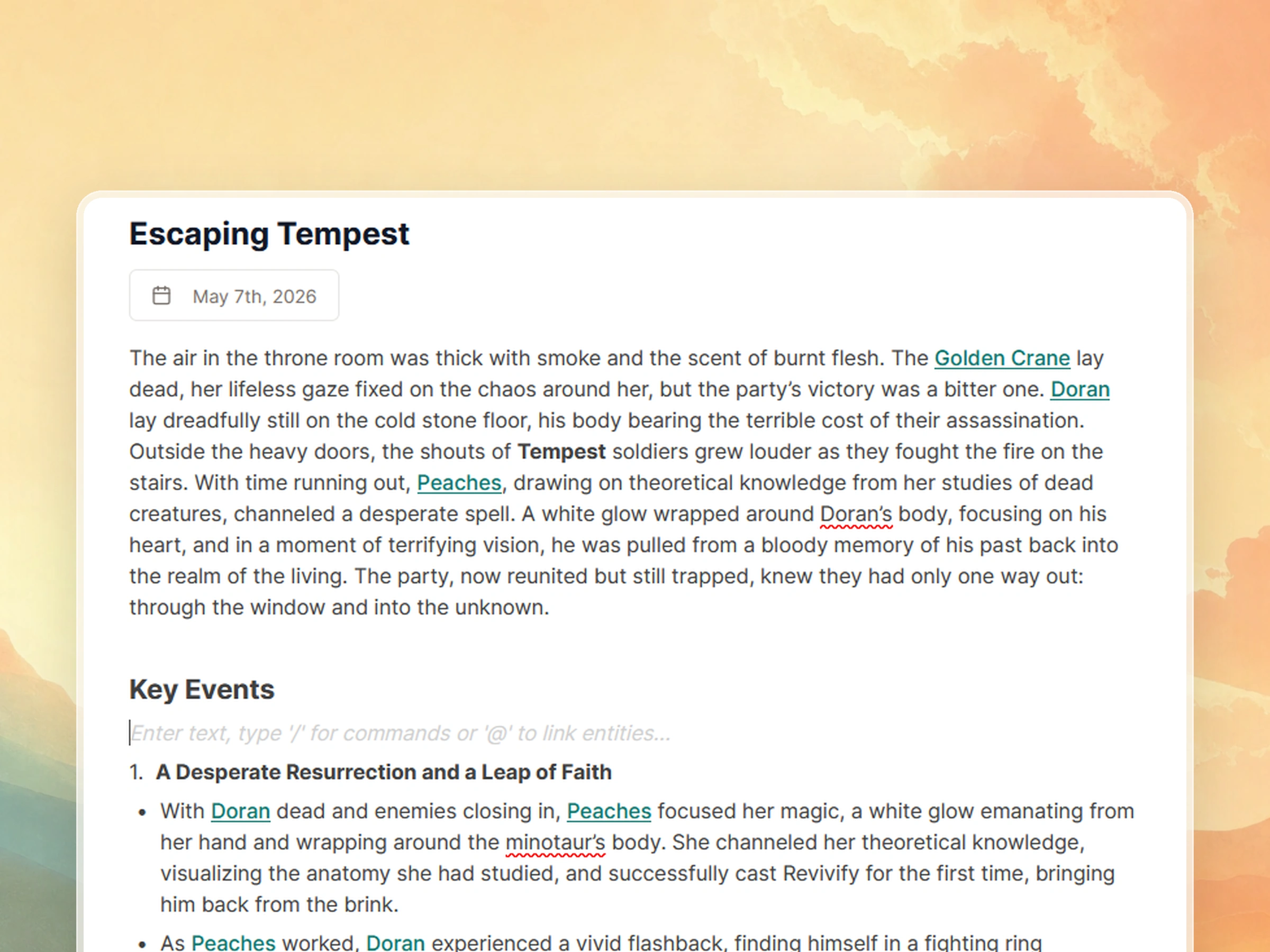
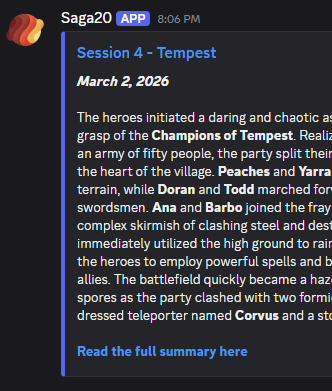
A real session summary. Every underlined name is a page in your campaign wiki.
You record. Everything after that happens on its own.
No note-taker, no volunteer scribe, nobody typing while the fight is on.
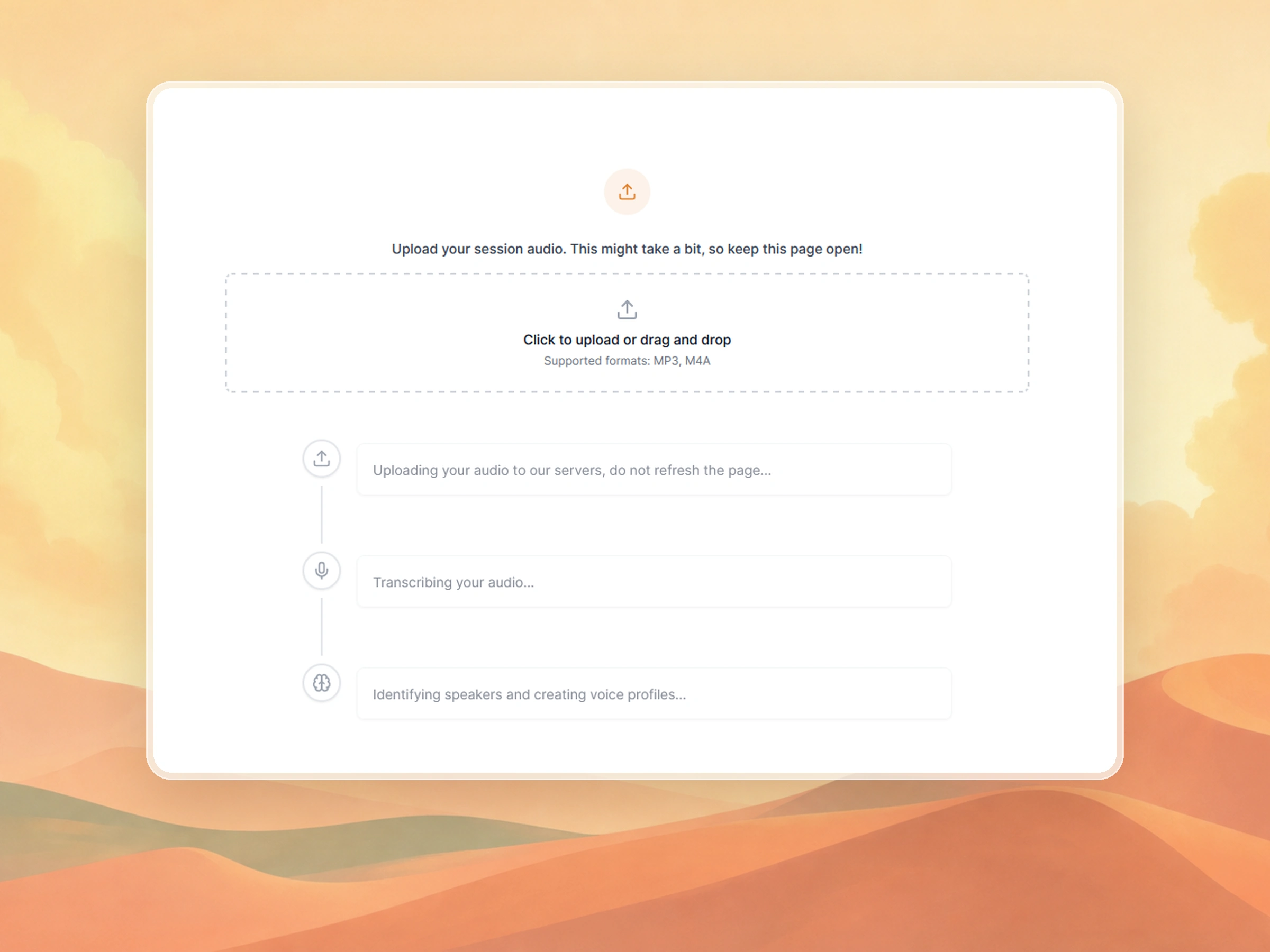
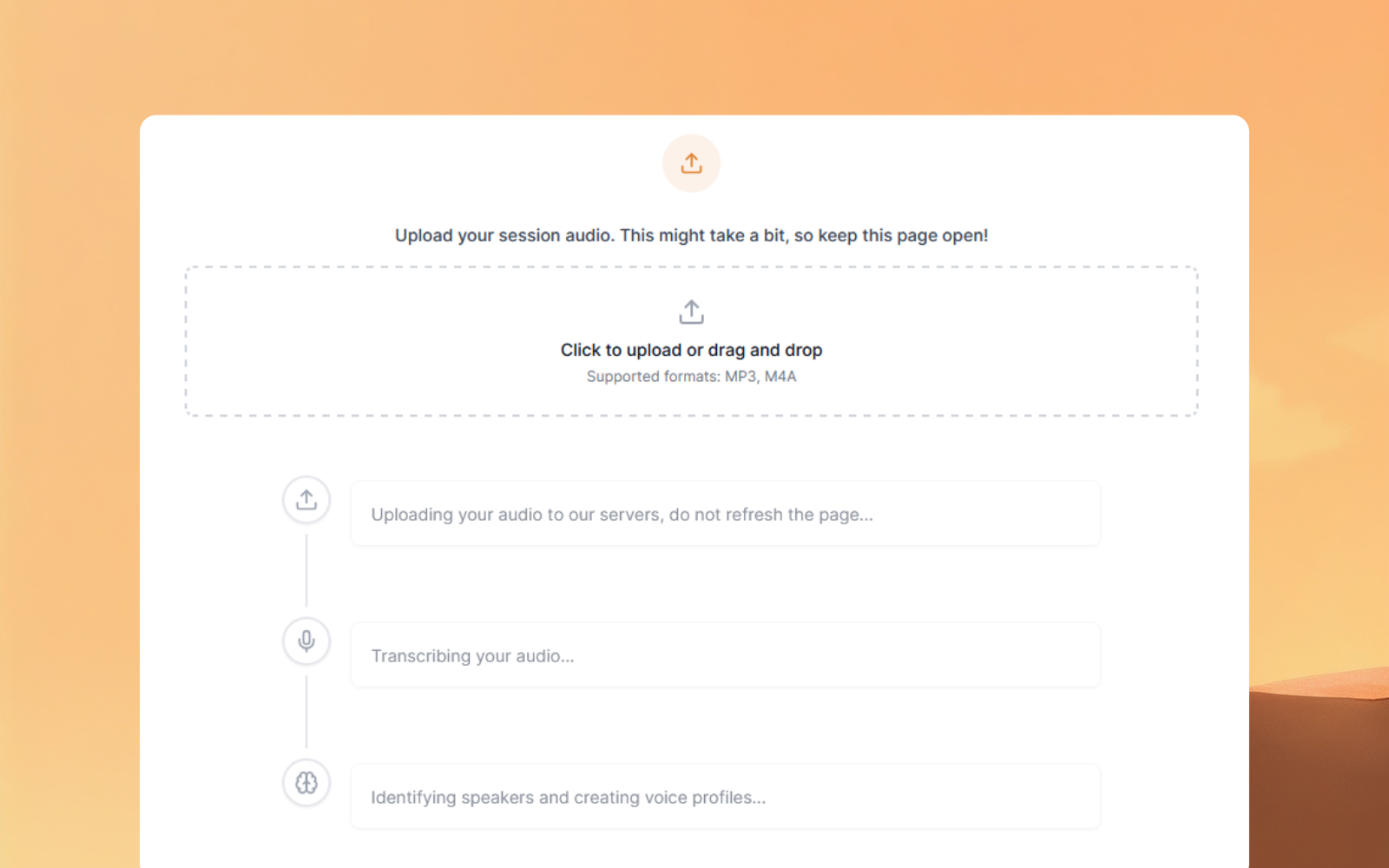
Drop in the recording
A phone on the table, a Discord bot, Zoom, whatever your group already does. Upload the file when the game is over.
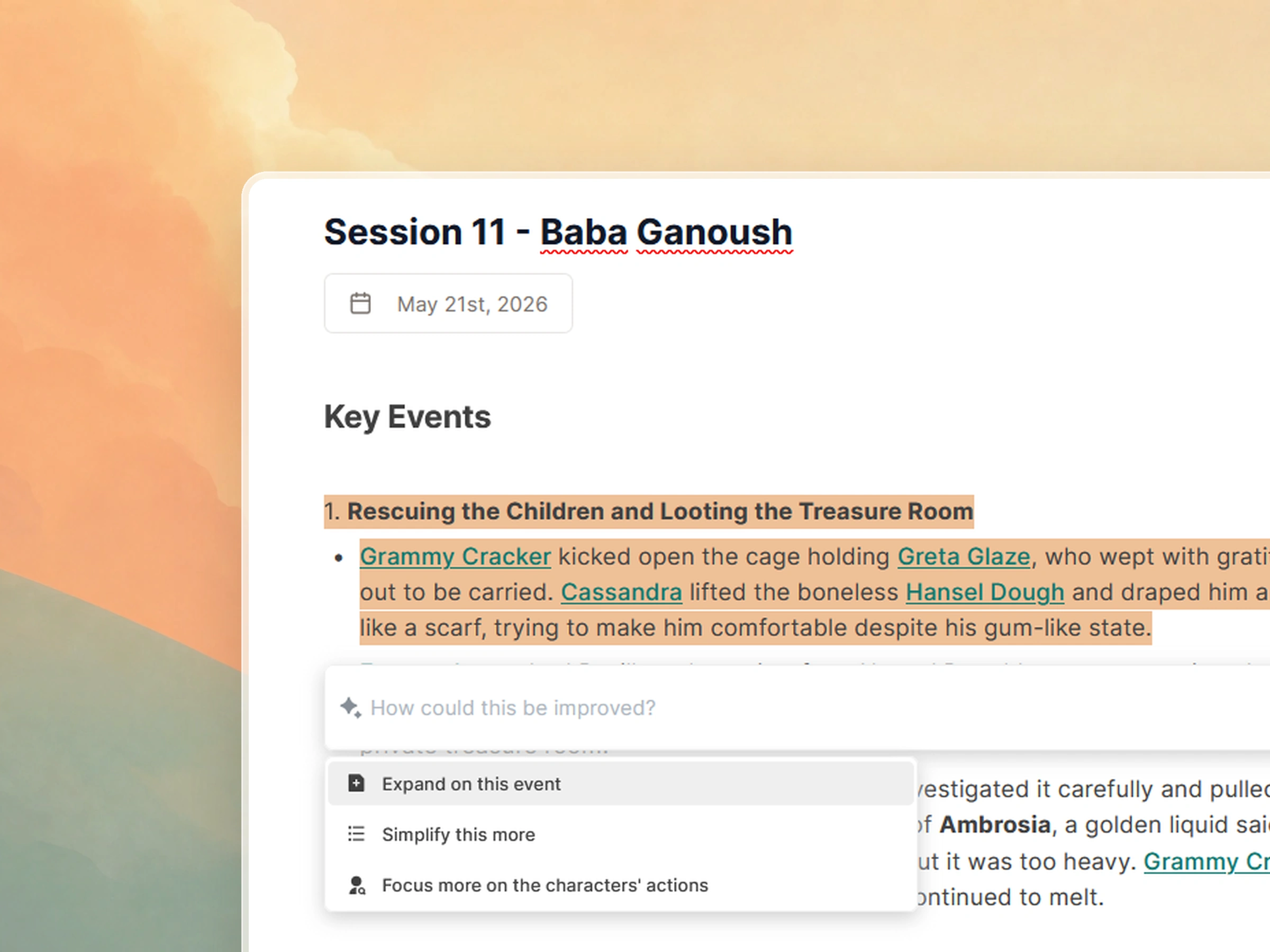
The notes come back written
A recap of what actually happened, with the names and places linked. Anything it gets wrong you can fix in a click before your players see it.
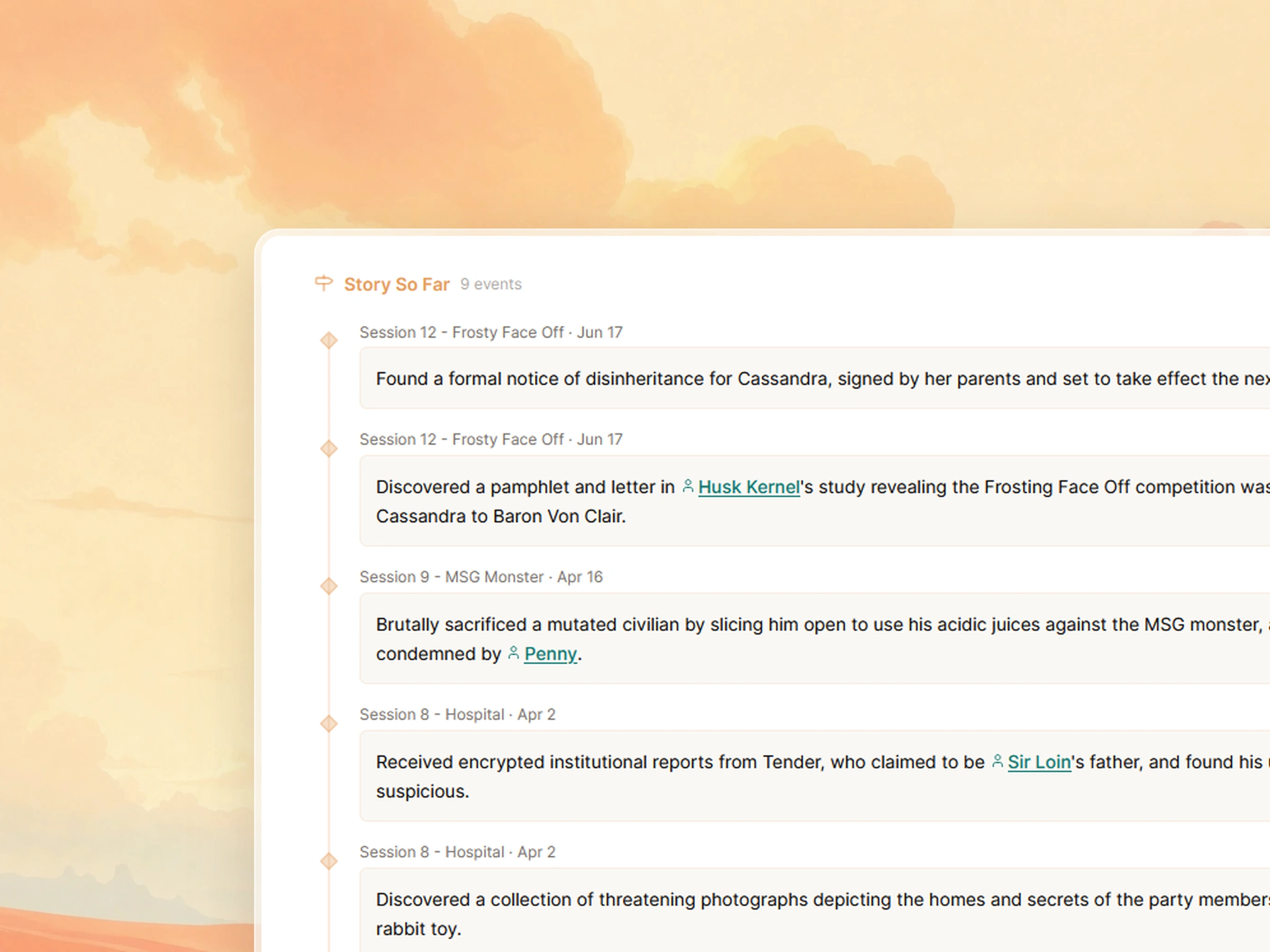
Your wiki catches up
Every character, location and faction that mattered gets a new dated entry on its own page. Nothing left to file.
What actually lands in your D&D notes
Not a transcript, and not a blow-by-blow of the fight. The six things you go looking for when you sit down to prep the next one.
Every name, with the detail attached
New NPCs turn up with the thing that makes them worth remembering. Not "Bellamy, fence" but the favour he owes the party and who he is scared of.
What the party swore to do
Debts, oaths and every "we will come back for you". Your players wrote those hooks themselves. Now you have them in writing too.
The doors nobody opened
The letter nobody read. The corridor they walked past. Open threads get listed as open, so you can still decide later what was behind them.
What changed out in the world
A guard captain died. A shop burned. A faction lost face. Those land on the faction and location pages, not just in one session log.
Where everyone was standing
Place, time of day, and the state the party was in when you called it. First thing you need next week, first thing everybody forgets.
The bit the table still talks about
The moment everyone reacted to gets written up properly, so you can read it back and work out what your players want more of.
Writing them by hand instead? The campaign journal guide has a blank template covering the same fields, and session notes vs recording covers what each approach costs you at the table.
Notes are only useful if you can find them again
Everything from a session gets attached to the people and places it was about, and shared with your table in one link.
Your notes start as a recording
Hit record on a phone, a Discord bot, or whatever is already sitting on the table. Upload the file afterwards. That is the entire amount of work you do.
Players recognized, automatically
After the first session, Saga20 remembers each voice in future recordings. No manual tags.
Peaches
3 samples matched
Barbo
2 samples matched
Names, threads and promises, written up
Everything on that list above, captured while you were busy running the game. Add world and character context and the notes get sharper every session.
One link, and you stop being the search engine
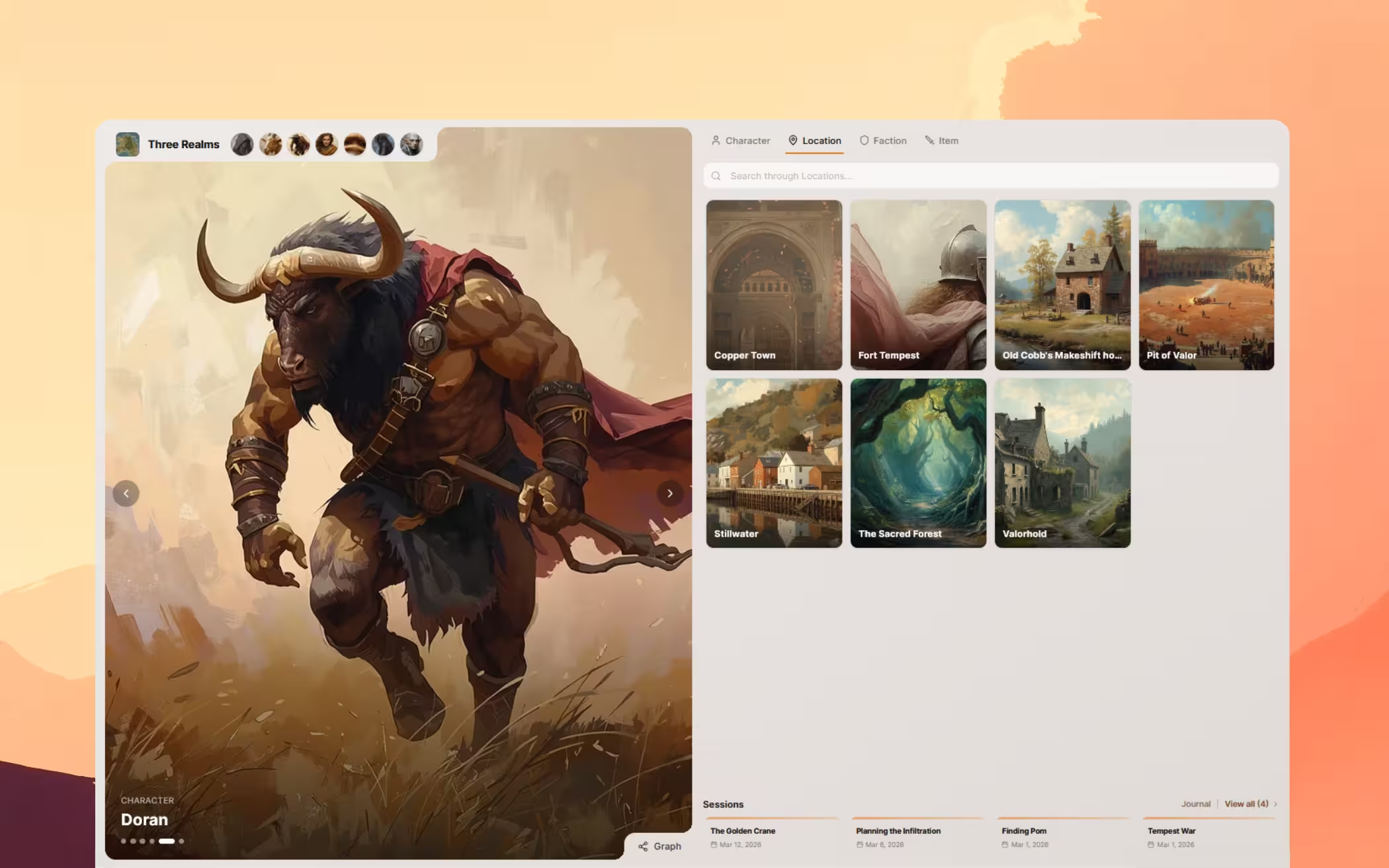
Players read the recap before the next game instead of asking you who the smith was. No account needed to read it, and everything is grouped by campaign.
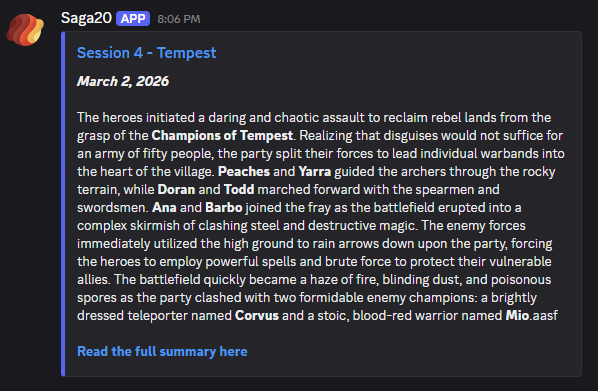

Drops straight into your server
Connect your campaign to Discord and publish recaps with one click. Players get a beautifully formatted summary right in your channel. No account needed.
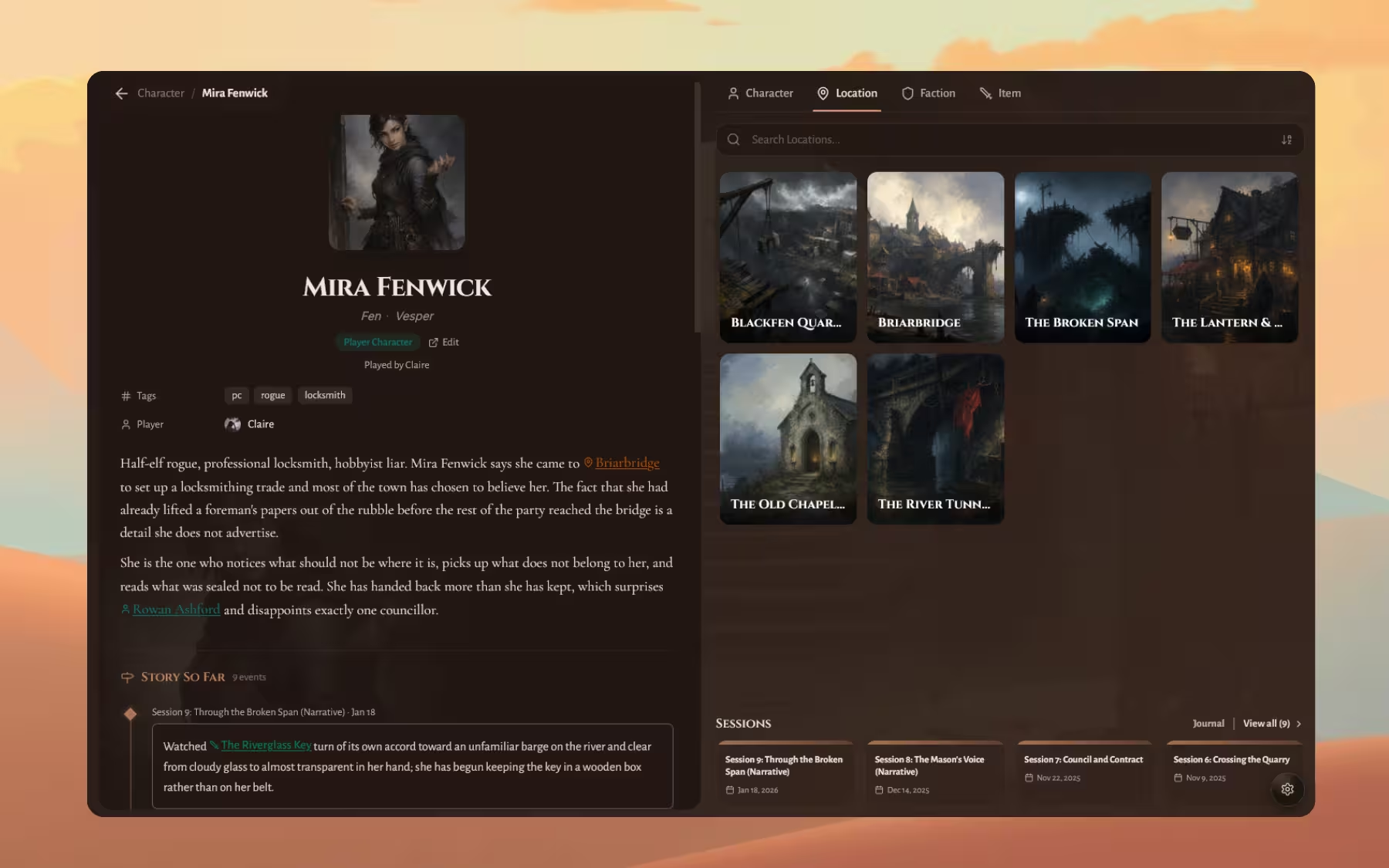
Notes that live on the thing they are about
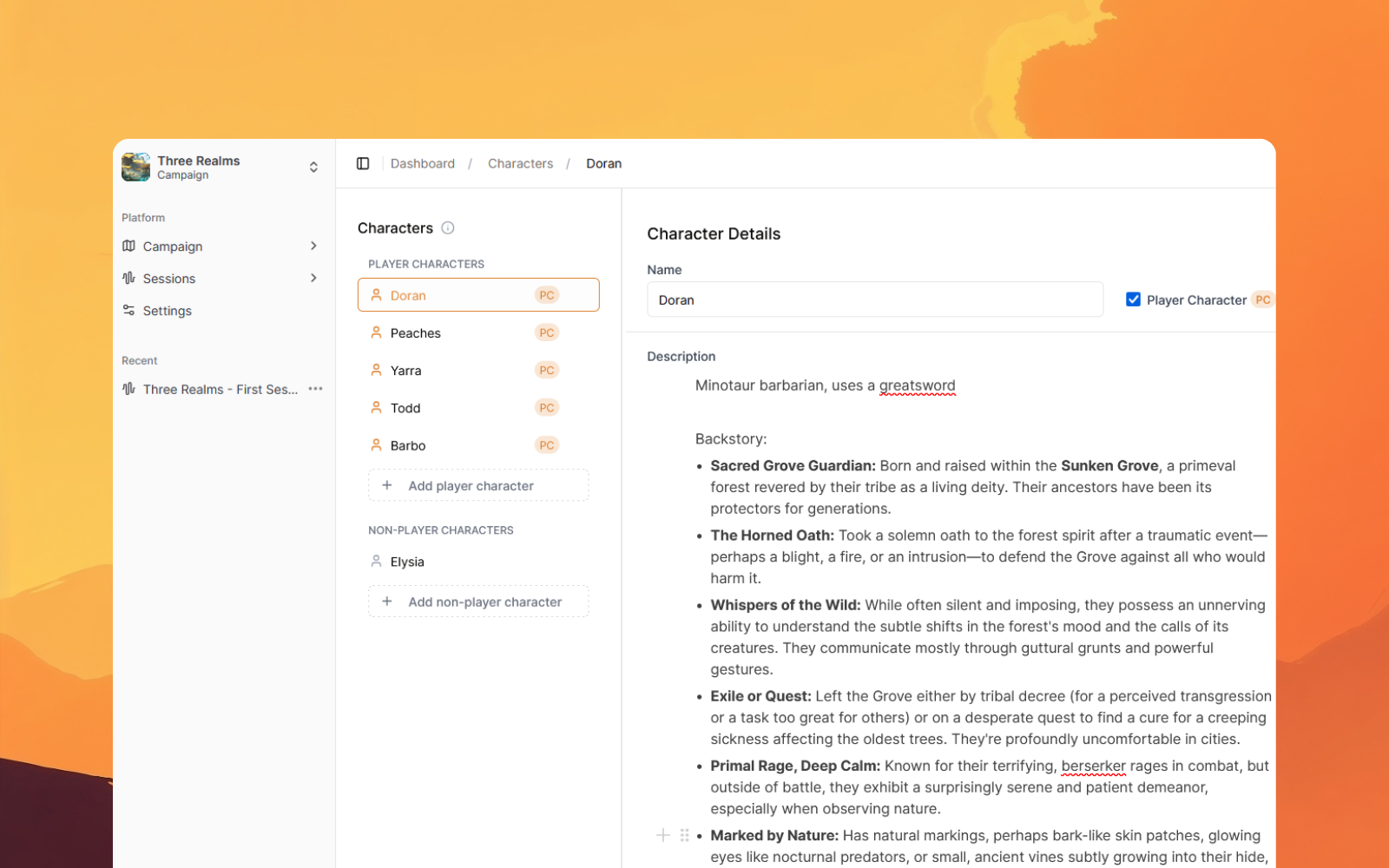
After twenty sessions nobody scrolls back to session 7 to work out who the Baroness was. Here she gets her own page, her own history, and you find her by name.


Players keep their own notes too
Claimed characters get an editable page, a character sheet, and a session history that fills in after every game. Their notes, not yours to maintain.
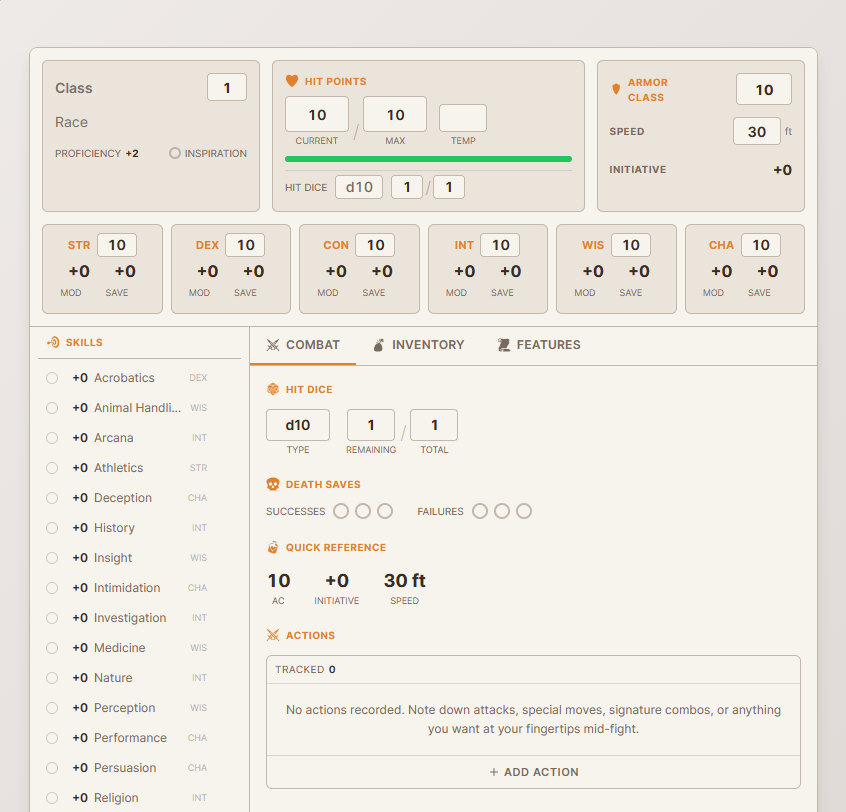
Full sheets, built right in
Claimed character can add a D&D 5e sheet. Ability scores, HP, AC, skills, inventory, and the combat tab. Theirs to edit, no spreadsheet required.
Try it on a session you already played
One free session, no card. Best way to judge it is on a game you actually ran.
DMs who stopped writing notes
“It has helped a group of scatter brained players enjoy the game and to focus more on the RP aspect and less on the note taking. I highly recommend this to tables that are looking to solve note taking issues.”
 JaggHost of Taming the Cube
“Just give it your session audio and it'll quickly generate a customisable session transcript that all builds together into a wiki that can help players and DMs alike keep everything on track.”
 DarkoraTTRPG Streamer
“Saga20 has become an invaluable tool for me as a Pro GM running 4-5 weekly campaigns. My players enjoy and appreciate the detailed session summaries.”
 Carl SwanPro GM
“This is a fantastic tool that will save you time and energy, and will also encourage your players to interact with the world and story beyond the session. Absolutely worth it.”
 Gubmann GamesD&D Content Creator
“It has helped a group of scatter brained players enjoy the game and to focus more on the RP aspect and less on the note taking. I highly recommend this to tables that are looking to solve note taking issues.”
JaggHost of Taming the Cube“Just give it your session audio and it'll quickly generate a customisable session transcript that all builds together into a wiki that can help players and DMs alike keep everything on track.”
DarkoraTTRPG Streamer“Saga20 has become an invaluable tool for me as a Pro GM running 4-5 weekly campaigns. My players enjoy and appreciate the detailed session summaries.”
Carl SwanPro GM“This is a fantastic tool that will save you time and energy, and will also encourage your players to interact with the world and story beyond the session. Absolutely worth it.”
Gubmann GamesD&D Content Creator“I'm running 3 campaigns and always forgot what happened last week. This actually saves me so much prep time because I can just read the summary instead of going through my terrible notes”
 Marcus RodriguezRunning 3 campaigns
“My Thursday group derails every plan I write. The summary catches all the details I usually forget and adds it all to the wiki. I like how the entire group can use it.”
 Camila ReyesCyberpunk RED & D&D 5e
“I run paid campaigns, and my prep window is tiny. My players are always so impressed that they have a shared wiki they can keep up with and can even claim their characters!”
 Toni BrooksRoll20 GM, 200+ sessions
“I've looked at a bunch of recording tools and it's the integration with the Wiki that really stands out, fulfilling my need for everything to be connected and helping my players come up to speed quickly.”
 JandarGM of 26 years
“I'm running 3 campaigns and always forgot what happened last week. This actually saves me so much prep time because I can just read the summary instead of going through my terrible notes”
Marcus RodriguezRunning 3 campaigns“My Thursday group derails every plan I write. The summary catches all the details I usually forget and adds it all to the wiki. I like how the entire group can use it.”
Camila ReyesCyberpunk RED & D&D 5e“I run paid campaigns, and my prep window is tiny. My players are always so impressed that they have a shared wiki they can keep up with and can even claim their characters!”
Toni BrooksRoll20 GM, 200+ sessions“I've looked at a bunch of recording tools and it's the integration with the Wiki that really stands out, fulfilling my need for everything to be connected and helping my players come up to speed quickly.”
JandarGM of 26 yearsTwo things nobody tells you
DM notes and player notes are different jobs
Hand the notebook to a player and you fix half of it. They record what landed. You still need the other list: threads nobody bit on, consequences ticking away offscreen, the guard they were rude to in session three who's now a captain. The gap between those two lists is the most honest feedback you'll ever get about your game.
A log becomes write-only around session twenty
Not because the notes are bad. Because finding anything means remembering roughly which week it happened. That's when most long campaigns give up on the diary and move to a campaign wiki.
| Approach | Best for | Per session | At session 30 |
|---|---|---|---|
| Pen and paper | Tables that want no screens at all | 20 to 40 min | Fine until you need to search it |
| A shared doc | Groups where a player happily volunteers | 30 to 60 min | Works, but gets long fast |
| A wiki you maintain | DMs who genuinely enjoy the building | 45 to 90 min | Excellent, if you keep it up |
| Saga20OURS | DMs who want the notes without the writing | 5 to 10 min review | Stays current on its own |
Comparing actual apps rather than approaches? The full D&D note-taking app comparison covers six of them with pricing. Already running a world on World Anvil? The World Anvil alternatives comparison is the closer read.
More on D&D notes
D&D note-taking apps compared
Six apps side by side, with pricing and the weekly effort each one really costs.
Session notes vs recording
What you lose by typing during the game, and what you lose by not typing at all.
How to transcribe a session
Getting clean audio off Discord or a phone, and turning it into usable text.
Campaign journal template
The longer record behind your session notes, with a blank template you can copy.
Common questions
Frequently asked
Play the session. Let the notes happen.
Record your next game, upload it, and read the notes instead of writing them. First session is free.