Use a mention to connect a name in your session summary to its world entry. Readers can open the linked character, location, faction, item, or other entry directly.
- Edit the session summary.
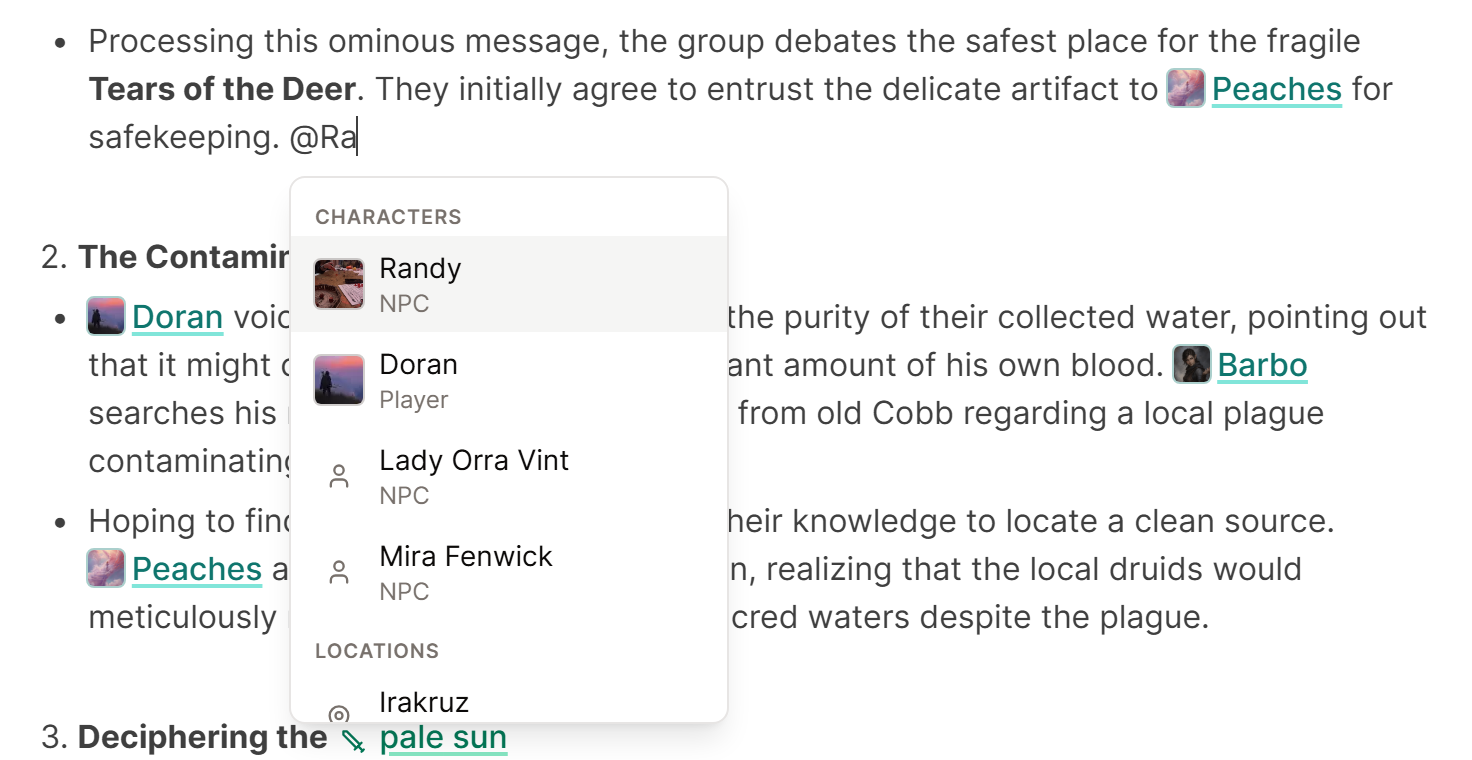
- Type @ followed by the entry name.
- Choose the correct result from the list.
- Verify the name shows up as a link now.
Use links for names that matter rather than each mention in passing. A recap with a handful of useful links is easier to read, and the Campaign Graph shows the connections that count.
If the correct entry does not appear, check its spelling in World. Add alternate names as aliases rather than creating a second entry for the same person or place.
For accidental duplicates or incorrect links, see Fix world entry links and duplicates.
