D&D Note-Taking Apps Compared: Find the Best One for Your Table

You are not at a desk. You are sitting at a table covered in dice, character sheets, and snack wrappers, trying to remember whether the party left the merchant alive or just unconscious. That is the environment where D&D note-taking happens, and it is the reason most note-taking systems fail within a few sessions.
Every DM who has lost track of a plot thread or blanked on an NPC name already knows they need notes. The real question is which app fits the way your table plays. There are more options for this in 2026 than ever, and they work in very different ways. Some expect you to write during the game. Some expect you to write after. Some handle the whole thing from a recording so you never write at all.
This post compares six of the best D&D note-taking apps head to head, from a plain shared doc to tools that write the notes for you. If you have not settled on what belongs in your notes yet, start with our guide to D&D notes, then come back and pick the app.
Three categories of D&D note-taking apps
Every app on this list falls into one of three buckets, and the bucket matters more than any individual feature. The right choice depends on how much writing you want to do and when you want to do it.
Write during the game. Apps like Notion, Google Docs, and OneNote. Someone at the table (usually the DM, sometimes a player) types or writes notes in real time while the session is happening. The upside is immediacy. The downside is that it splits your attention between the game and the page.
Write after the game. Apps like Obsidian and Kanka. You play the session with full focus, then sit down afterward and write everything up into a structured wiki or vault. The upside is better organization. The downside is 30 to 90 minutes of work after every session, and the accuracy of those notes depends entirely on what you remember.
Automated from audio. This is the newest approach. You record the session audio, upload it, and get notes back without writing anything. Saga20 is the tool I use for this. It is the approach the Lazy DM philosophy points toward: do less admin, spend more energy on the game itself. If you are curious how the audio actually becomes text, here is how to transcribe a D&D session step by step.
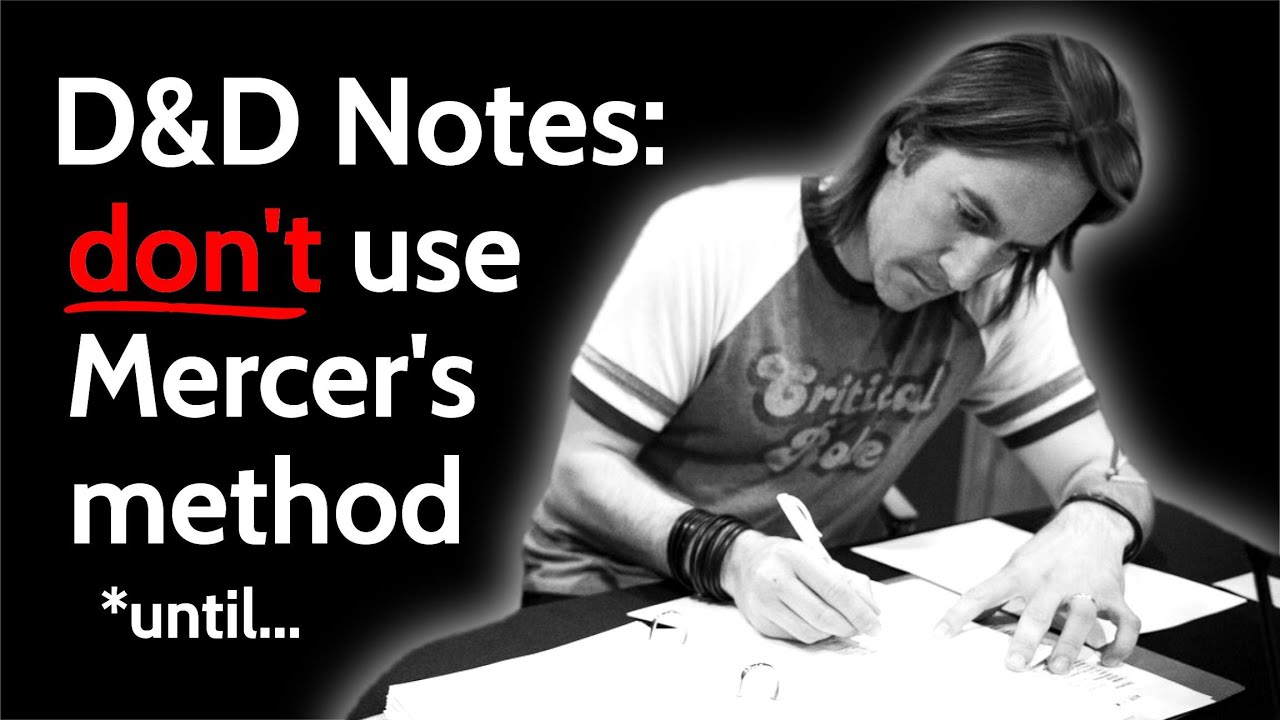
Bob World Builder made a good case for rethinking the whole note-taking approach in this video:
The comparison at a glance
Here is how the six apps stack up across the things that actually matter for a weekly D&D game.
| App | Category | Best For | Price | Weekly Effort | Campaign Wiki | Player Sharing |
|---|---|---|---|---|---|---|
| Notion | During game | Custom database builders | Free (Plus $10/mo) | 45-90 min | Yes (manual) | Yes |
| Google Docs | During game | Simple shared notes | Free | 30-60 min | No | Yes |
| OneNote | During game | Tablet and Microsoft users | Free | 30-60 min | No | Yes |
| Obsidian | After game | Linked wiki enthusiasts | Free (Sync $8/mo) | 45-90 min | Yes (manual) | Limited |
| Kanka | After game | Free campaign wikis | Free (paid tiers available) | 30-60 min | Yes (manual) | Yes |
| Saga20 | Automated | Auto notes, wiki, and player pages | Free trial, from $12.99/mo | 5-10 min | Yes (automatic) | Yes |
How to decide: the quick version
Do you want to write notes during the game?
- Yes, and you enjoy building systems: Notion or Obsidian
- Yes, but you want it simple: Google Docs or OneNote
Do you want to write notes after the game?
- Yes, and you want a full wiki: Kanka or Obsidian
- Yes, but you want it quick: Google Docs
Do you not want to write notes at all?
- And you want a campaign wiki that updates itself: Saga20
Most tables try one or two approaches before they find the one that sticks. The deciding factor is usually not which app has the most features. It is which app someone at the table actually keeps using after session five.
Whichever one you land on, the app matters less than the habit. Our shorter guide to what to write in your D&D session notes covers the six things worth recording, and what it looks like when they get written for you.
App-by-app reviews
Notion
Best for: DMs who love building custom systems
Notion has become one of the most popular tools for D&D campaign management, and for good reason. You can build databases for NPCs, locations, items, and quests, all linked together with relational properties. The TTRPG community on Reddit has produced hundreds of shared templates that give you a solid starting point.
The tradeoff is time. Setting up a good Notion workspace takes a few hours upfront, and maintaining it takes 45 to 90 minutes after every session. If you find that process satisfying, Notion is excellent. If it feels like homework, the system tends to fall apart around session eight.
If you are considering Notion, it is worth seeing how it compares to a purpose-built session tool.
Pros: Free tier is generous. Highly customizable databases. Real-time collaboration with players. Huge TTRPG template community.
Cons: Requires significant setup and weekly maintenance. No session-specific features. Becomes unwieldy after 20+ sessions without careful organization.
Price: Free personal plan. Plus plan at $10/month.
Google Docs
Best for: Tables that want shared notes with zero setup
Google Docs is the Toyota Corolla of D&D note-taking. It is not exciting, it is not optimized for the job, but it works and everyone already has it. Open a new doc, share it with your group, and start typing. One DM I know has run an entire three-year campaign out of a single Google Doc with a table of contents at the top. It works if you are disciplined.
The problem shows up at scale. A flat document has no structure enforcement. After 30 sessions, searching for "that NPC from the swamp arc" means scrolling through thousands of words. There is no wiki, no linking between entities, and no way to see how anything connects.
Pros: Completely free. Zero setup. Real-time collaboration. Searchable.
Cons: No structure beyond what you build manually. Gets messy over long campaigns. No TTRPG-specific features.
Price: Free.
OneNote
Best for: Tablet DMs and Microsoft ecosystem users
If you run your sessions with a tablet propped up behind your DM screen, OneNote is worth a look. The stylus support lets you mix handwritten notes with typed text, which is a useful hybrid for DMs who sketch maps or jot quick reminders mid-session but want searchable typed notes for everything else.
The notebook and section structure gives you more organization than a flat doc, and it syncs across devices through your Microsoft account. The sharing experience is less polished than Google Docs, especially if your players are not in the Microsoft ecosystem.
Pros: Excellent stylus and handwriting support. Good notebook/section structure. Free. Syncs across devices.
Cons: Sharing is clunkier than Google Docs. Nothing built specifically for tabletop games. Fewer community templates than Notion.
Price: Free with a Microsoft account.
Obsidian
Best for: DMs who treat campaign organization as a hobby
Obsidian is a local-first markdown note app with a plugin ecosystem that has spawned an entire TTRPG subculture. Plugins like TTRPG-World let you create linked wiki-style notes where NPCs connect to locations, locations connect to factions, and everything is visualized in a graph view. If organizing your world is half the fun for you, Obsidian is where that impulse gets rewarded.
The learning curve is real. You are choosing plugins, designing folder structures, and building templates before you write a single session note. That investment either compounds over a long campaign or it does not, depending on whether you keep maintaining it. Obsidian also stores everything locally, which means syncing across devices costs $8 per month and sharing with players requires either a published vault ($16/month) or exporting files manually.
As Sly Flourish often points out, the best prep system is one that does not become prep itself. Obsidian walks that line depending on who is using it. If you want to try it, here is a full Obsidian for D&D setup guide with vault structure, plugins, and the tradeoffs.
Pros: Linked graph view for campaign relationships. Strong TTRPG plugin ecosystem. Local storage (good for privacy). Markdown files you own forever.
Cons: Steep learning curve. Sync and publish cost extra. Not great for player sharing. Requires ongoing maintenance.
Price: Free. Sync $8/month. Publish $16/month.
Kanka
Best for: Free campaign wikis with solid organization
Kanka is a dedicated TTRPG world-building platform with a free tier that is more generous than most paid competitors. You get calendars, maps, timelines, family trees, organization charts, and entity tracking out of the box. The interface is clean, the community is active, and for DMs who want a structured wiki without paying for it, Kanka is the strongest free option available.
The catch is the same as every manual wiki: someone has to write all of it. Every NPC page, every location entry, every session log. That is the work. Kanka does not generate anything from your sessions. It organizes what you give it. If you enjoy that process, it is excellent. If you do not, the wiki stays empty after the first few sessions.
Pros: Generous free tier. Clean interface with calendars, maps, and timelines. Active community. Purpose-built for TTRPGs.
Cons: Everything is manual entry. No session recording or auto-summarization. Paid tiers needed for some advanced features.
Price: Free tier available. Paid plans for additional features.
Saga20
Best for: DMs who want session notes and a campaign wiki without writing anything
Full disclosure: Saga20 is our product. Here is what it does and who it works for.
You record your session (phone on the table, Discord bot for online play) and upload the audio file. A mobile app is on the way that puts the recorder and the notes in the same place. Saga20 transcribes the session, produces a summary, and updates your campaign wiki automatically. Every NPC, location, faction, and item gets its own page that stays current across sessions. The voice recognition learns each player and attributes dialogue correctly, so "the Rogue said she would meet them at the docks" is specific rather than vague.
I have been using it for a 30-session Pathfinder campaign, and the part that matters most over a long campaign is continuity. When you upload session 15, Saga20 already knows who Elara the merchant is from session 3. The summary builds on existing context rather than treating every upload as a blank slate.
Players touch a part of this directly, too. Each character can be claimed by the person who plays it, which gives them an editable page, a character sheet, and a session history that fills in as the campaign runs. That pulls the whole table into the same place instead of leaving everything on the DM, which is rare for a tool that also writes your notes for you. The world links together the way a wiki does as well. Mention a faction or a city in a session and Saga20 connects them on a campaign graph, so you can see how everything fits without drawing the lines by hand.
The main requirement is a usable audio recording. If your table plays in a noisy room or you do not record at all, the automated side has little to work with. If you already keep notes somewhere else, a campaign import can read in material from tools like Google Docs, Obsidian, and World Anvil and pull out the characters, locations, and factions to seed your wiki. Past that, Saga20 is built to grow your world from what actually happens at the table, not to be a blank canvas you plan on before session one.
For a detailed look at how different session note methods compare beyond just apps, this post covers the full range. If your problem is what to carry forward rather than how to capture it, use the D&D campaign journal template. If you are specifically weighing up a dedicated worldbuilding platform, World Anvil alternatives for D&D compares them on the authoring-versus-play-first split.
Pros: Zero writing required. Campaign wiki updates automatically. Players can claim and edit their own characters. Voice recognition tracks individual players. Continuity across sessions. Works with any TTRPG system.
Cons: Requires an audio recording. Grows from your sessions rather than working as a blank-canvas planning tool. Paid subscription after the free trial.
Price: Free trial (one full session, no credit card). Plans from $12.99/month.
What about pen and paper?
Analog note-taking still works for plenty of tables. A dedicated notebook, a stack of index cards, even a whiteboard behind the DM screen. If your campaign is short, your cast is small, and you prefer not to bring a screen to the table, pen and paper is not a bad choice. It just does not scale well past 15 or 20 sessions, and it is not searchable when your players quiz you about something from three months ago.
For a deeper look at analog and digital methods side by side, the session note methods comparison covers notebooks, Discord recap channels, and everything in between. If your group runs online, our D&D Discord server setup guide explains why the recap channel is always the first one to go quiet and what to do about it.
Further reading
- The Lazy DM's Guide to Session Tracking: the fuller argument for why mid-game note-taking is costing you more than it saves
- Session Notes vs. Audio Recording: a direct comparison of the two main approaches
- Best D&D Session Note Methods in 2026: method-by-method comparison including analog options
- Saga20 World Builder: see what an auto-updating campaign wiki looks like in practice
- Try the free Session Recap Generator to see what an automated recap looks like before committing to anything
Questions
Common questions
Free Tools
Helpful for This Topic
Session Recap Generator
Create beautiful, shareable cards for your session highlights. Track MVPs, quotes, and critical rolls.
Session Recap Architect
Design and print the perfect session note template for your D&D games. Export to Notion or PDF.
Session Recap Scribe
Paste your rough notes and get a polished session recap your players will actually read.
Drop the notebook
Try Saga20 for free
Record your session. We'll write the notes and build your wiki.
Get started freeNo card needed