Introducing the Saga20 mobile app
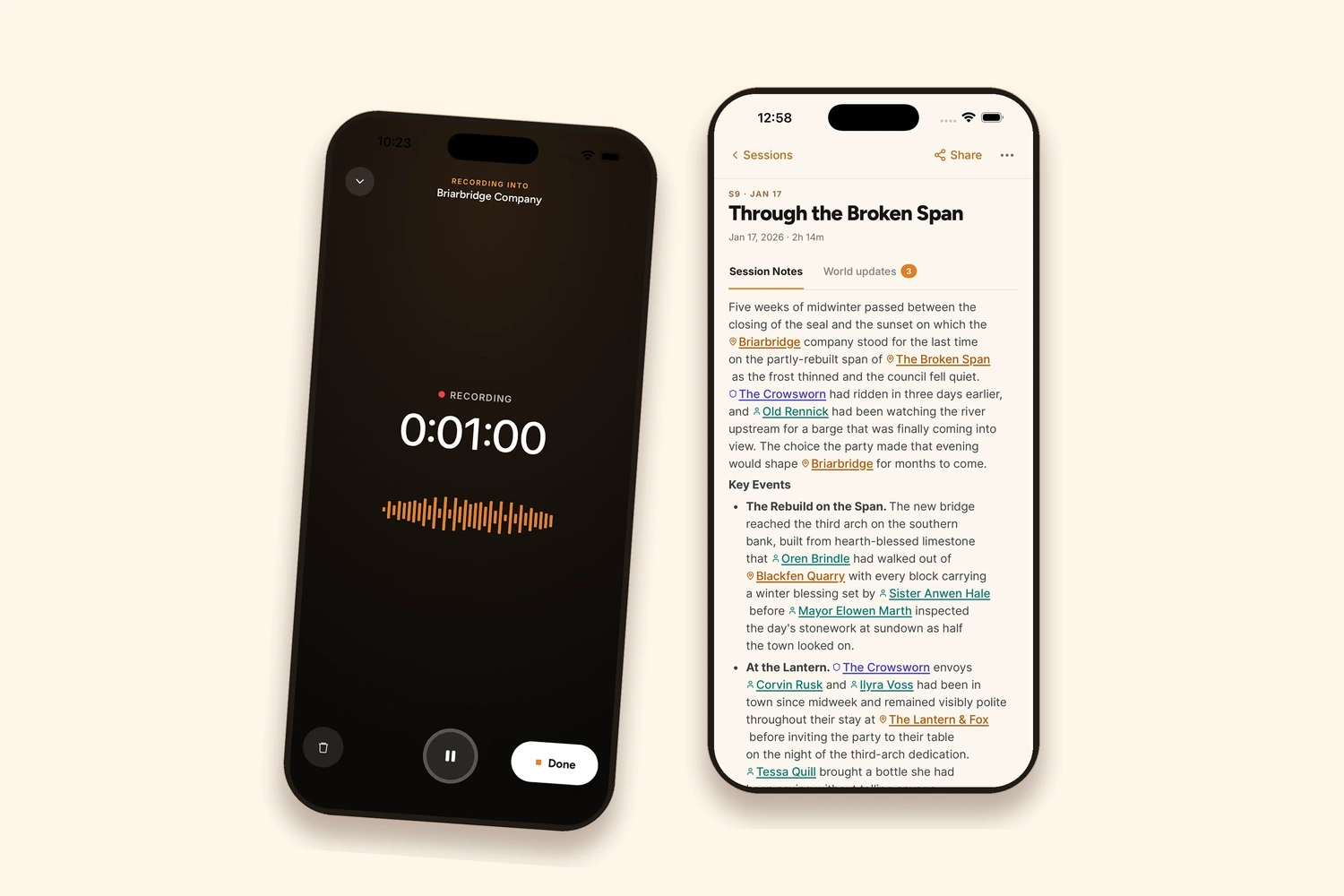
You can now use Saga20 on mobile. Put your phone in the middle of the table, press record, and the recording goes into the campaign it belongs to rather than into a folder nobody opens again.
Android came after the iPhone app. Either app opens the campaigns you already have on the web. We announced the app on 11 September, and it was covered by Yahoo and Business Insider.
Update, 22 October 2026: You can now get Saga20 on Google Play. The iPhone app has been available on the App Store since 9 October.
Why the recorder lives in the app
Every phone already records audio for free. Voice Memos on an iPhone, Recorder on a Pixel, both sitting on the device since the day it was bought.
Capturing the audio was never the difficult part. A thread resurfaces on r/DMAcademy every few months where a game master asks which dictation machine to buy, because writing notes during play is stressful and they would rather deal with it afterwards. Plenty of people buy the recorder. Far fewer are still listening back six months later.
What breaks is the handoff. The file lands in an app that knows nothing about the campaign, under a name like New Recording 14, and moving it somewhere useful becomes a separate job on a separate day. Recordings that survive that step are the exception.
So the recorder is not in Saga20 because recording is hard. It is there so the recording already knows which campaign it belongs to before anyone presses the button.
At the table
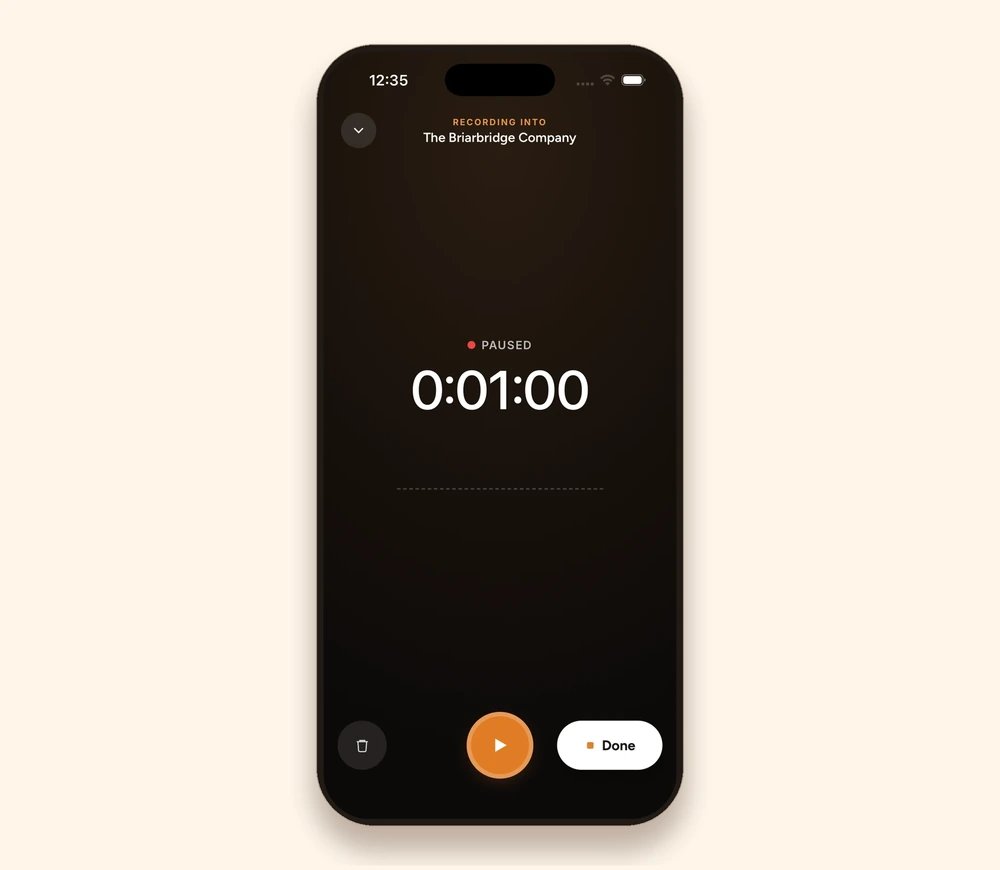
Pick the campaign, press record, and put the phone down. Pause when the group takes a break and resume when everyone is back. The screen shows which campaign is being recorded into, which matters in a week where a game master runs two of them.
Press Done at the end. With a connection, the recording can be submitted right there. Without one, it stays on the phone and uploads when signal returns, so a basement with one bar is not a problem. A game recorded some other way, on a handheld recorder or through an existing online setup, can be imported instead.
Audio is written to the device as the session runs rather than held in memory until the end. A phone that restarts, an app that closes, or a battery that dies partway through does not take the evening with it.
Setting up the first recorded session
Five minutes of setup, once.
- Ask the table. Say what the recording is for and where it goes. If one person is not comfortable, do not record.
- Put the phone on something soft. A mousepad or a folded towel. This is the single biggest audio improvement available, because a d20 landing on a bare table hits the microphone harder than a human voice does.
- Center it, and raise it slightly. Two inches of height clears the snack bowls and the character sheets.
- Remove the constant noise. A fan blowing across the table or an air conditioner cycling is harder to work around than a sudden bang. Sudden noises pass. Drones sit under everything.
- Plug it in. Four hours of recording takes a real share of a battery.
Session notes versus audio recording makes the longer case for recording rather than writing during play.
After the recording is submitted
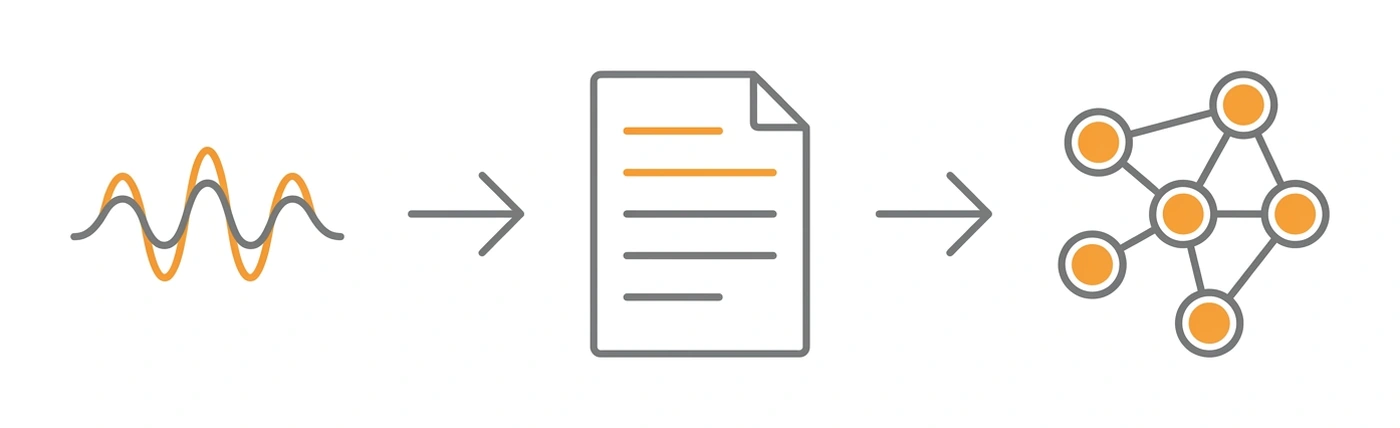
Processing has always lived on the web, and it still does. Speakers are labeled once, matching each voice to the player and character it belongs to, and later sessions recognize those voices on their own. The recap is generated after that.
The original recording is deleted after processing. What stays behind is the recap, the speaker labels, and the World pages the session updated.
What comes back is not a transcript. It is a session recap in readable prose, covering the decisions the party made, what they found, who they fought, the character moments, and the threads nobody has resolved yet. It stays editable, because the person who ran the game is the one who knows the bard was lying. The session summarizer also produces terse bullet points instead of narrative, at whatever level of detail suits the table.
The recap carries campaign context with it: names that have come up before, places the party has already been, events from five sessions ago. That is why a recap from session fifteen reads as part of the same story as session three rather than as a stranger describing four hours of dice rolling. How to transcribe a D&D session covers the wider set of options, including the ones that have nothing to do with Saga20.
The World, on the phone
Session Notes are one view of a campaign. The wiki that builds up behind them is the other.
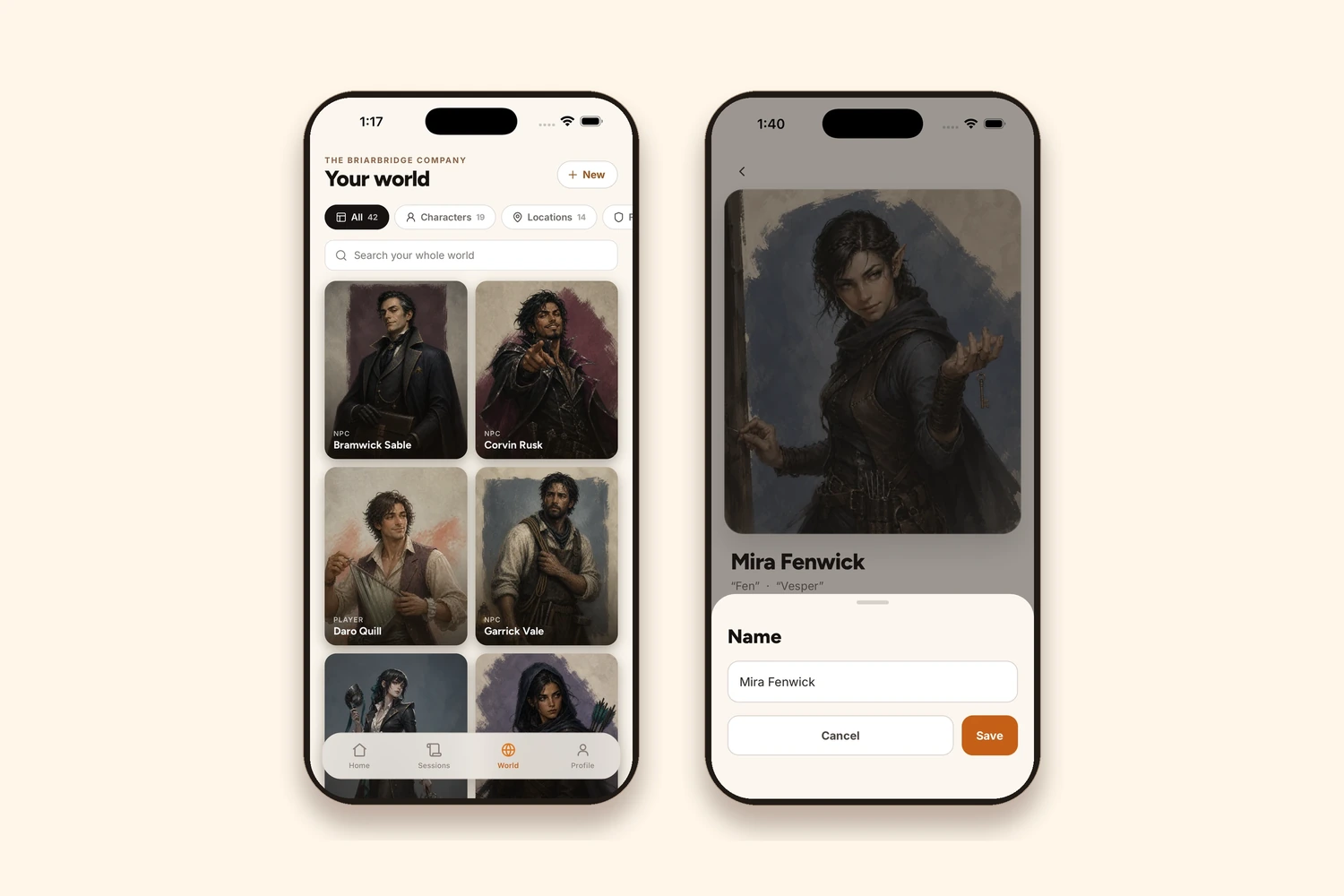
Every Character, Location, Faction and Item the party runs into gets its own page, and those pages accumulate. A merchant who appeared once in session four and turns out to matter in session nineteen arrives with a history already attached. Story So Far timelines gather the moments that belong to each character and place, so a page shows what someone has been through rather than requiring anyone to reconstruct it from memory.
All of it is browsable on the phone. Open the World tab, filter to Characters or Locations, and search across the whole campaign. Entries can be edited there too, which is the difference between fixing an improvised name on the drive home and losing it by Thursday. The heavier work still belongs on the web, where the World Builder has room for it.
Between sessions
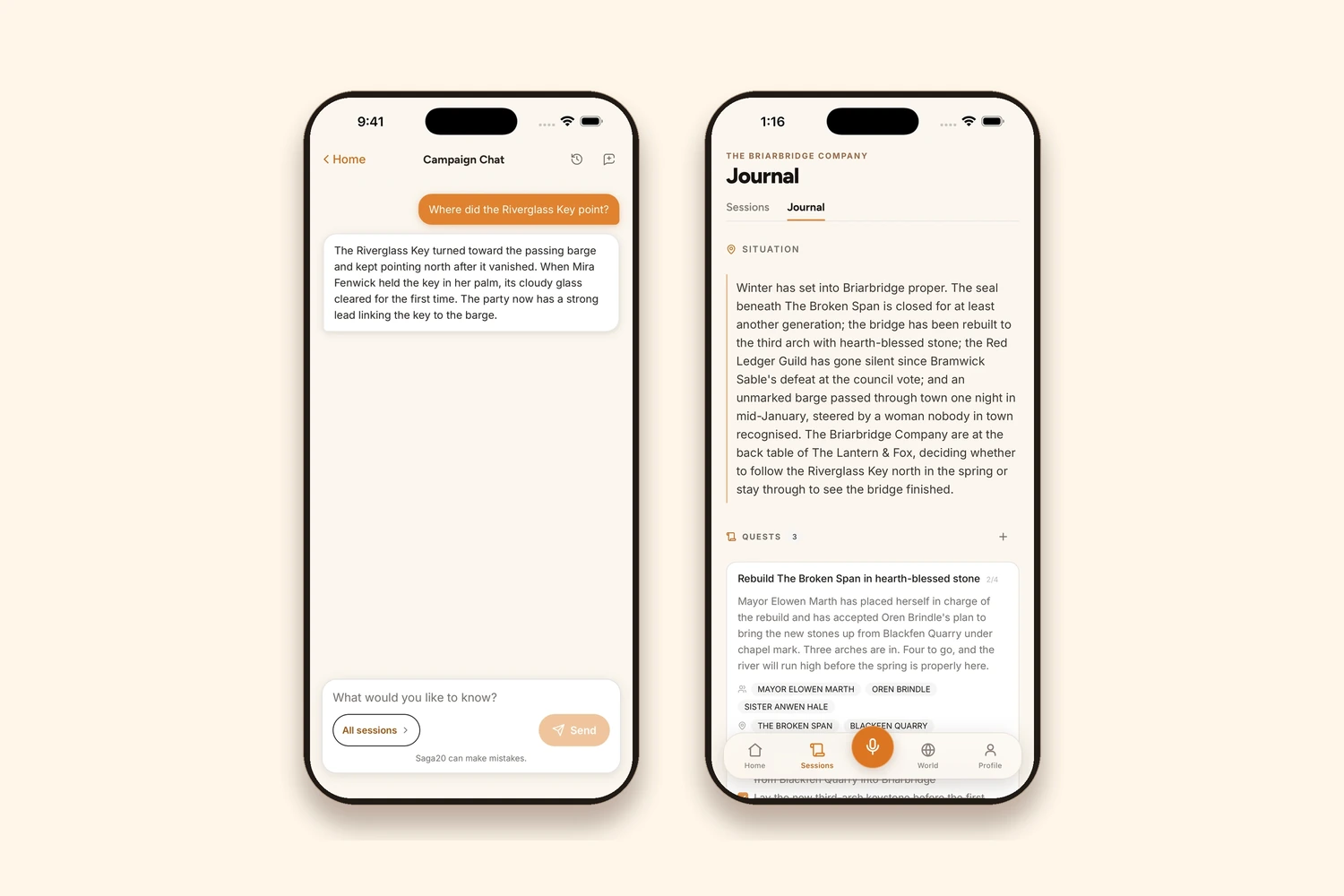
Most of a campaign happens when nobody is at the table. A player on a train wonders whether the party ever paid the smith. A game master in a coffee queue tries to remember what was promised to the Crowsworn.
Campaign Chat answers those questions from the campaign's own sessions and World pages rather than from general knowledge about dragons. It needs a connection, and it is available on Epic Campaign and Legendary Saga.
The Campaign Journal holds the overview: where the party is right now, which quests are open, and what is still unresolved.
What works without a connection
| Offline | Needs a connection | |
|---|---|---|
| Recording a session | Yes | |
| Reading saved Session Notes | Yes | |
| Reading saved World pages | Yes | |
| Importing an audio file you already have | Yes | |
| Uploading a recording for processing | Yes | |
| Editing a World page or a recap | Yes | |
| Campaign Chat | Yes |
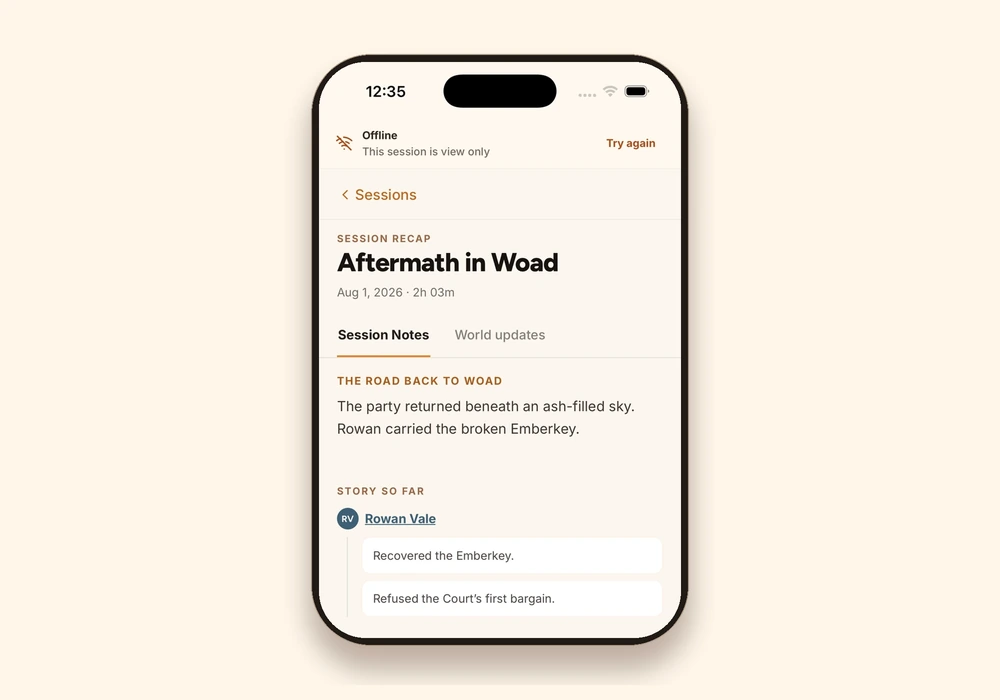
Saved copies are for reading. The Offline banner says so before anyone starts typing into a page that cannot save.
Start on the web, continue on the phone
For anyone already using Saga20, nothing changes. Sign in on the phone and the campaigns, Session Notes and World pages are already there, along with the current plan and session usage.
If you haven't started yet, begin wherever is convenient. The campaign you create on the web is the same one the app opens. The download links and the remaining details are on the Saga20 mobile page.
Further reading
- Session Notes vs. Audio Recording: the case for putting the pen down, with the table setup that makes it work
- How to Transcribe a D&D Session: every route from table audio to usable text, ours included and not only ours
- D&D Note-Taking Apps Compared: six apps, honest pricing, and which one suits which table
- The Saga20 World Builder: what an auto updating campaign wiki looks like once it has a few sessions behind it
Questions
Common questions
Free Tools
Helpful for This Topic
Session Recap Generator
Not waiting for the app. Turn last night's game into a recap card your players will read on their phones today.
Session Recap Scribe
Already record your sessions? Paste the rough notes you took afterwards and get a recap worth sending to the group.
Session Time Manager
A recorded session still has to end somewhere sensible. Plan the pacing so the recording stops on a cliffhanger.
Drop the notebook
Try Saga20 for free
Record your session. We'll write the notes and build your wiki.
Get started freeNo card needed