Campaign rules are short directions that Saga20 follows every time it writes a summary for a single campaign. Put them in under Settings, then Processing, in the Rules area.
Add a rule
- Go to Settings, then Processing.
- Look for Rules under the summary sections.
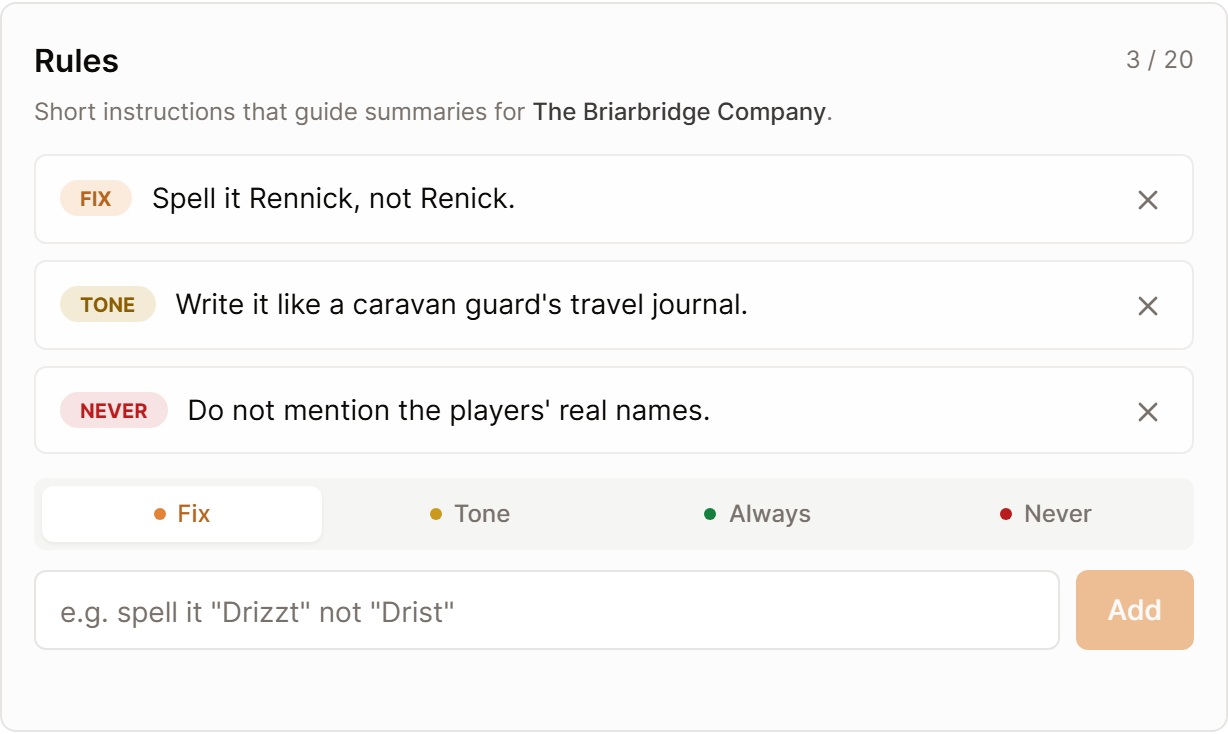
- Select Fix, Tone, Always, or Never.
- Write the rule in one short line.
- Select Add.
Rules are stored the moment you add them. Click a rule's label to switch its type, or the cross to delete it.
Show me Campaign Rules, opens in a new tab
What each type is for
The type lets Saga20 know which kind of instruction it is reading. A rule steers how the summary gets written, and it never inserts events that did not occur at the table.
- Fix corrects a name or word the recording keeps hearing wrong, for example "Spell it Vessa, not Vesa."
- Tone decides how the recap sounds, for example "Write it like a weary ship's log."
- Always requests a detail in each summary, for example "List any gold or items the party picked up."
- Never holds something back, for example "Do not mention the players' real names."
Rules work best for things that come up every session. For a single slip, edit that summary instead.
When rules apply
A rule steers the next summary Saga20 writes for the campaign, and that includes one you regenerate. Summaries already written remain as they are until you regenerate them.
Rules stay with one campaign, and each of your campaigns keeps its own. Format, length and summary sections instead follow your account, as covered in Customize your session summaries.
To correct a summary that is already written, see Edit a session summary.
