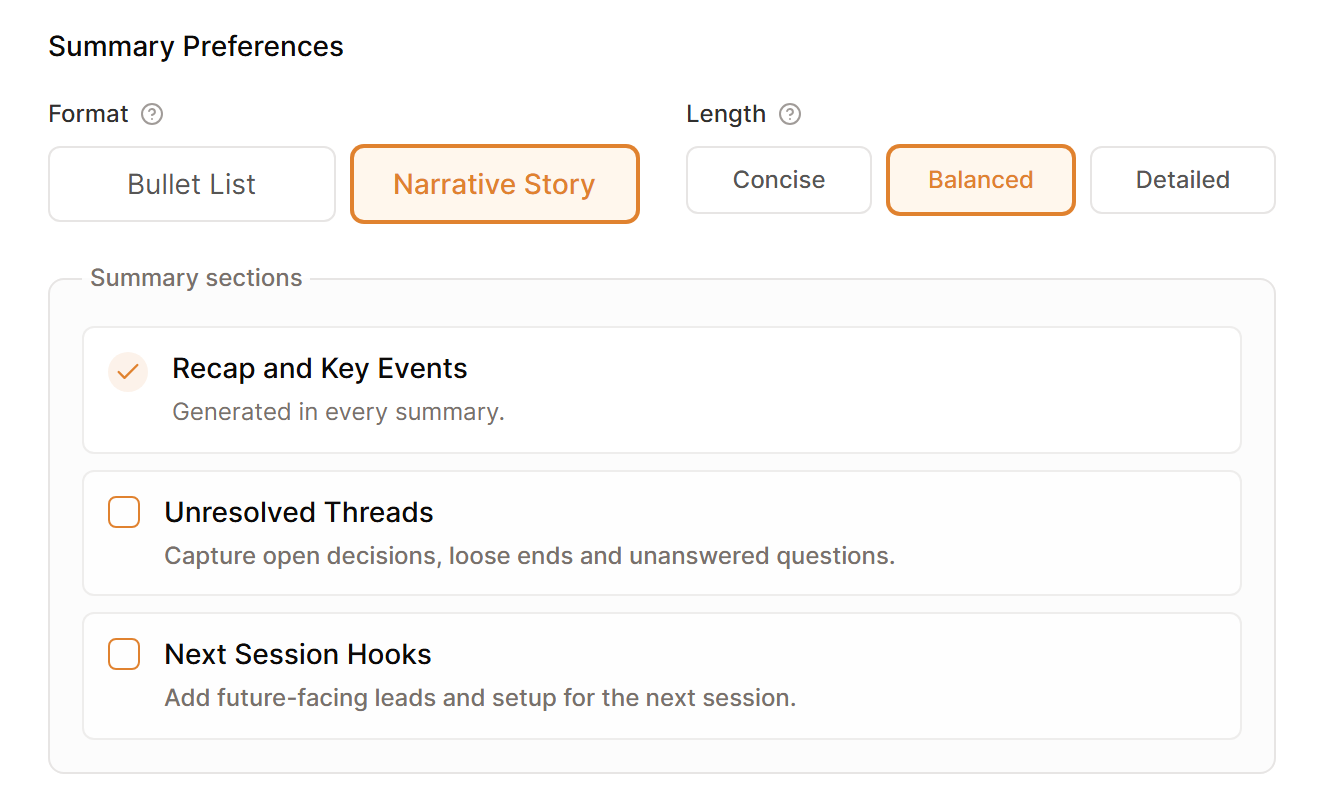
Set your preferred summary style in Settings, then Processing, under Summary Preferences. The choices belong to your account, so they apply to every campaign you own.
Format
- Bullet List is easy to scan before the next game.
- Narrative Story reads more like a campaign chronicle.
Length
- Concise covers the essentials in about 300 words.
- Balanced gives a fuller recap at about 1,000 words.
- Detailed is designed for long-form notes of 2,000 words or more.
Sections
Recap and Key Events are always included. Under Summary sections, you can also add Unresolved Threads and Next Session Hooks.
Set these preferences before you select Generate Summary. To apply a new style to an older session, open it and regenerate the summary.
Pick the version you will actually read at the table. A short recap your group uses beats a detailed one nobody opens.
For names, tone, and details that belong to one campaign, continue with Set campaign rules for your summaries.
