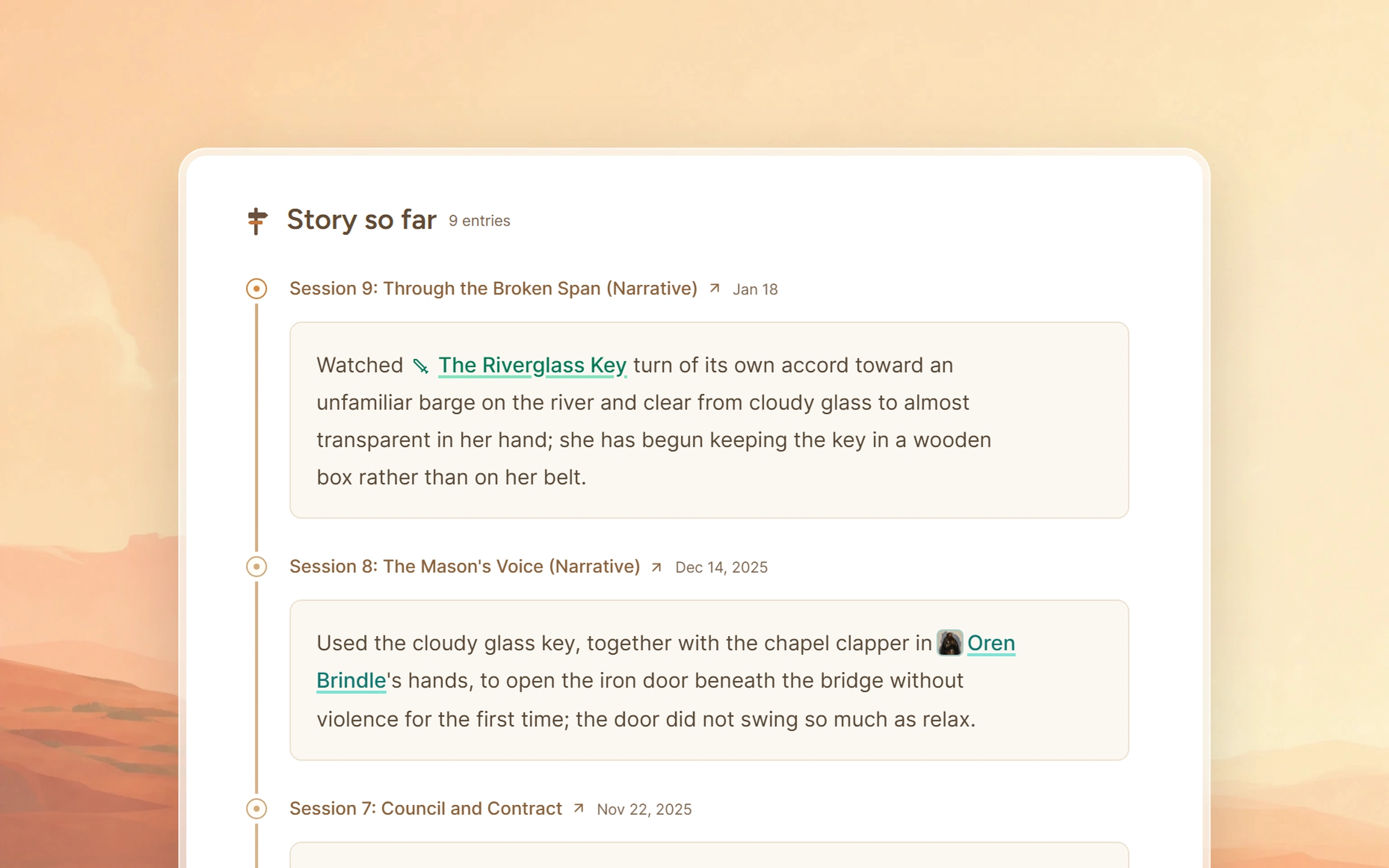
Auto Wiki keeps your campaign's records current. After each recorded session, Saga20 reads what happened and updates the journal, every page the story reached, and the connections between them.
Your campaign journal tracks every quest
The campaign journal on your Dashboard keeps the present situation, the quests still open, the threads left hanging, and the characters and locations that count right now. Once each recorded session has been summarized, Saga20 moves quests forward, ticks off the goals the party completed, and marks a quest Concluded when it is done.
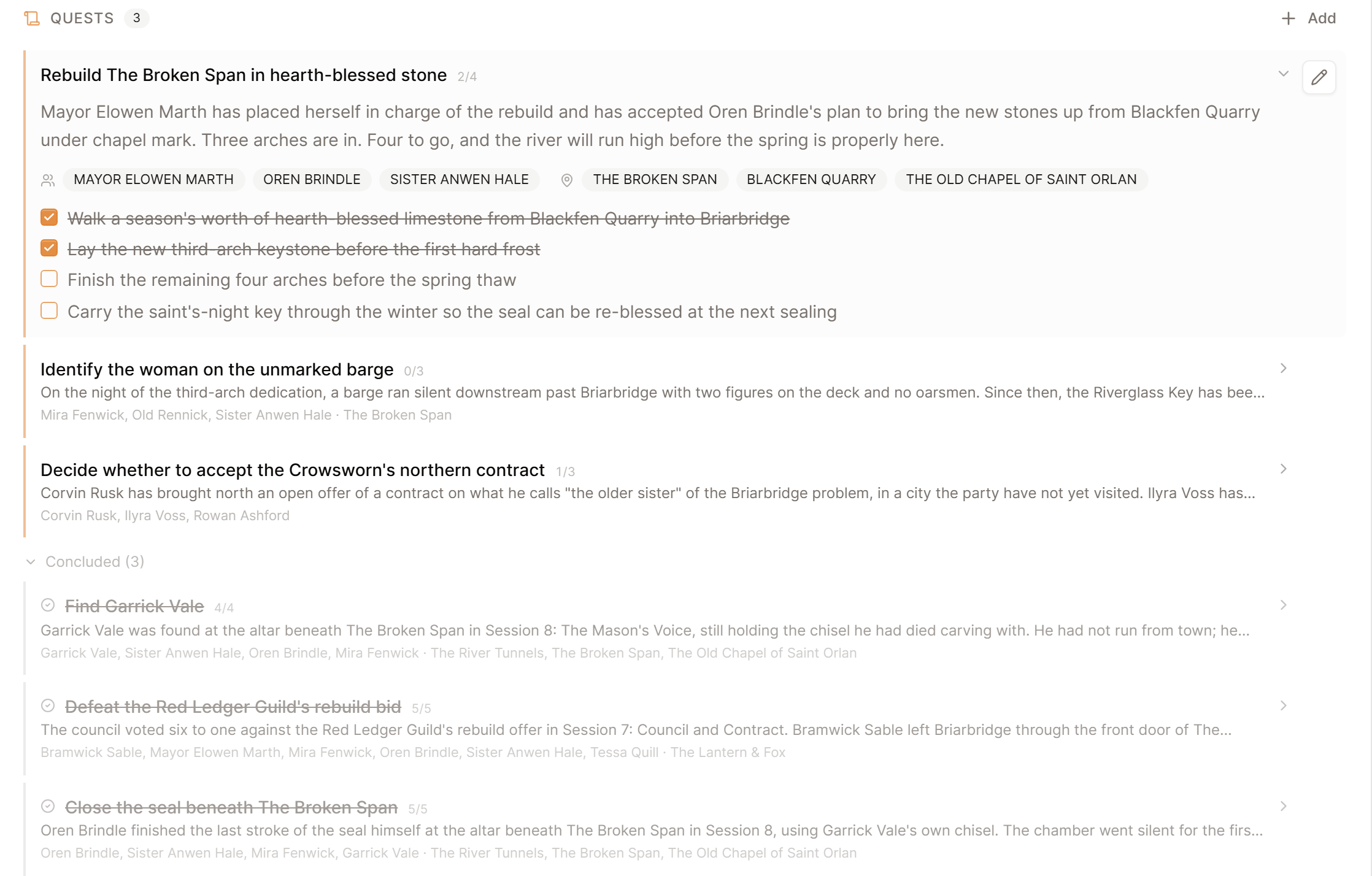
Threads no one has touched in a while move into Cold Cases, which keeps the list focused on the current situation. You can edit everything in the journal, and your edits remain.
Story so far on every page that matters
Every character, NPC, location, and faction the party met gains a dated entry in its Story so far, tied to the session it came from. Open a character to read that whole arc, from the first meeting to the latest session. Your own types, like Deities or Ships, get Story so far entries too when they hold named characters, places, or things.
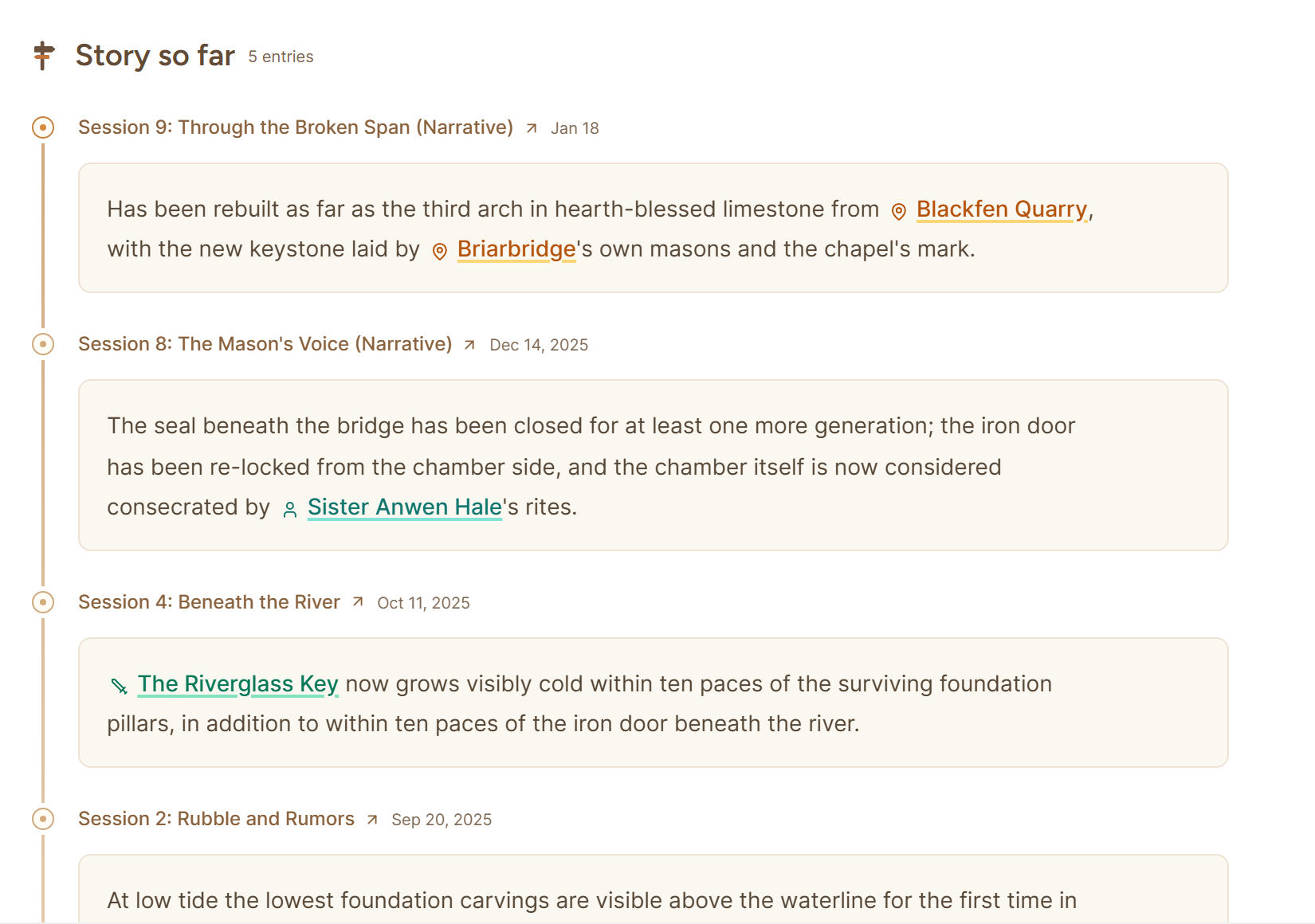
Saga20 records moments such as a death, an oath, or a betrayal, and leaves dice rolls and rules talk out of the story.
Page descriptions that keep up
When a merchant becomes mayor or a sword changes hands, Saga20 rewrites that page so it describes the campaign as it stands now. When a new detail would clash with what a page already says, it waits for you instead of overwriting your words. Choose how the rest works in Settings, then Campaign, under Page updates.
Automatic places updates right onto your pages after each session, and anything uncertain waits in World updates on the session page. Manual keeps every update there until you choose Apply update.

Story so far and the campaign journal update in both modes. Anyone or anything new, like a rival captain or a hidden shrine, always waits in World updates until you choose Add.
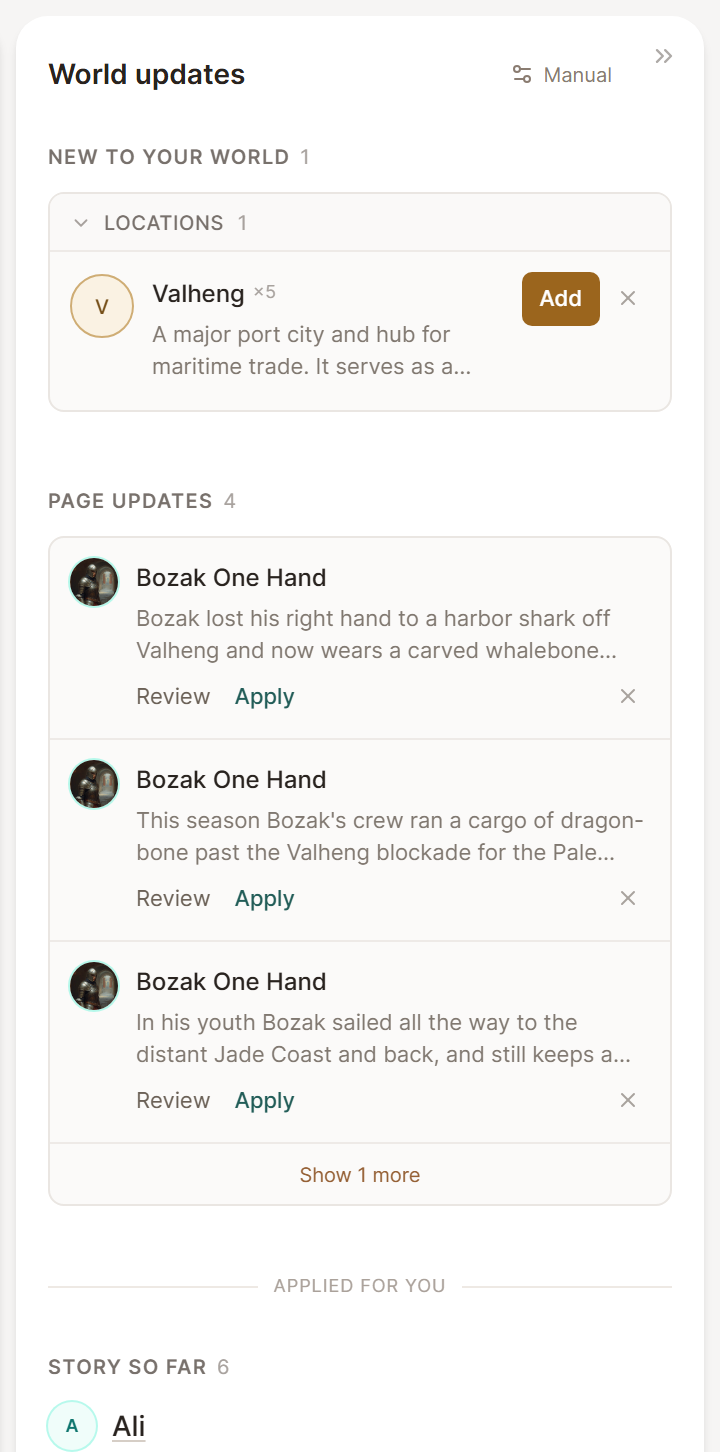
Review World updates after each session
The World updates panel sits next to the summary on the session page. On a computer it opens on its own when a session gets its first summary, and after that the panel button at the top of the summary shows how many updates are waiting.
New characters, locations, items, and factions wait under New to your world. Saga20 matches an NPC's nicknames and titles to the page you already have, and a new nickname waits under Also known as for you to add. Further down, the panel lists what already changed during the session.
Your campaign graph links itself
The graph on your Dashboard displays how your characters, places, and factions connect. Links you write with @ mentions show up as Mentions. Links Saga20 finds in your sessions show up as Enrichment Events. The graph updates after each session.
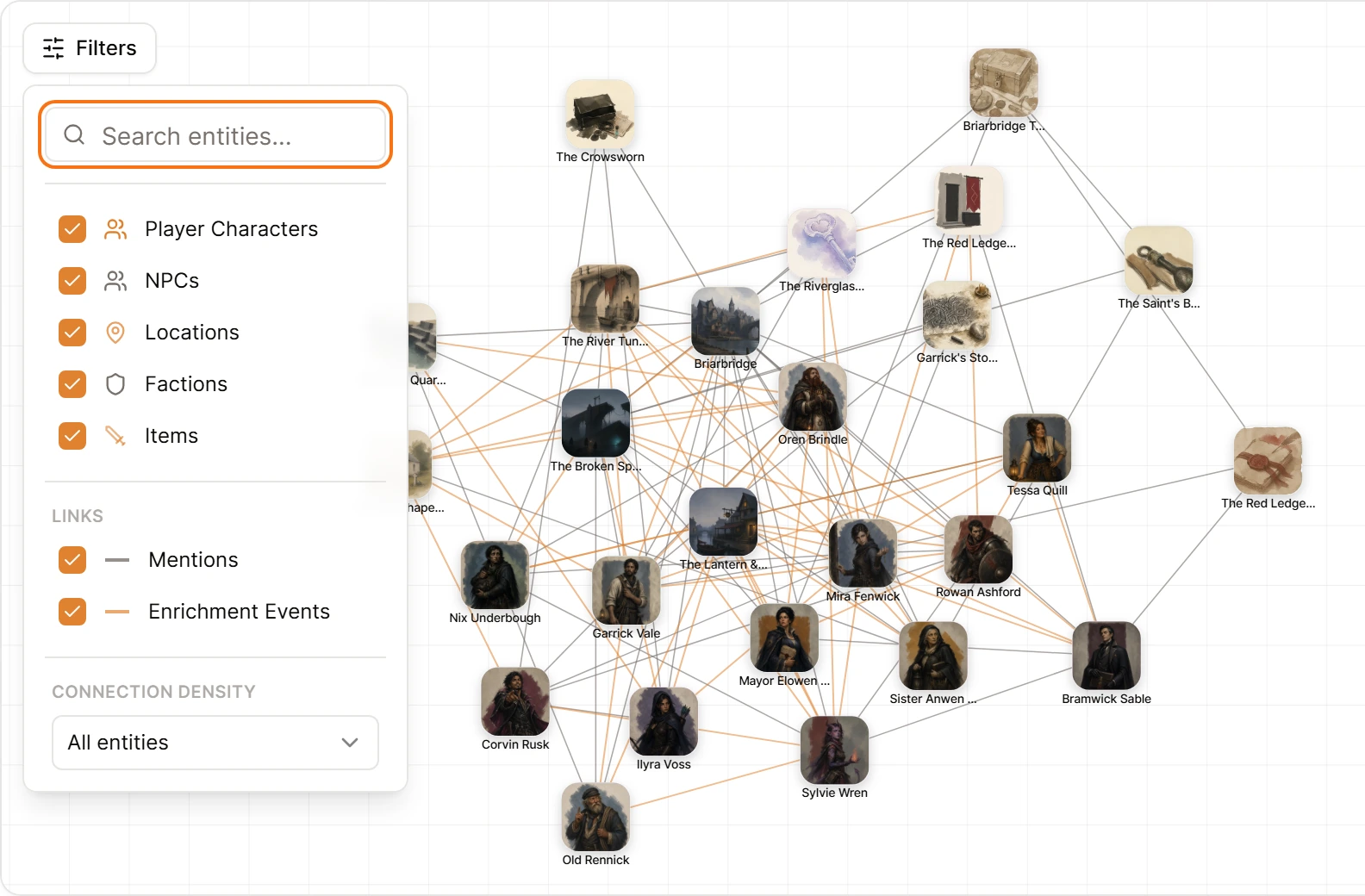
To view only the links you wrote, open Filters and switch off Enrichment Events.
When you correct a summary or a page
Each part of Auto Wiki keeps its own text, so you correct a mistake in the part where it appears. Fix a name in the summary and the recap reads right from then on, for your players and for Campaign Chat, which reads the summary as you edited it.
Correct pages, Story so far and the journal in place. Hover an entry in Story so far to edit it with the pencil or remove it with the cross, and rewrite a page or journal entry directly. Saga20 builds on your version, and later updates are added to the page as you left it.
Regenerating a summary writes a fresh one from the recording, using your pages and campaign rules as they stand, and you can say what should change. The new summary replaces the old one, your edits included, and its new pages and page updates appear in World updates. Pages you added, updates you applied or dismissed, Story so far and the journal all stay as they were.
Written notes and imports
Auto Wiki runs on recorded sessions. A recap saved with Write notes instead keeps your words exactly as they are, and campaign import brings existing documents into the World Builder.
