The campaign journal shows where the campaign stands right now. It sits on your Dashboard, below the campaign graph, and it rewrites itself after every recorded session.
It holds four things: the current Situation, open Quests with their objectives, Unresolved Threads with the clues found so far, and the Key Characters & Locations that matter at the moment.
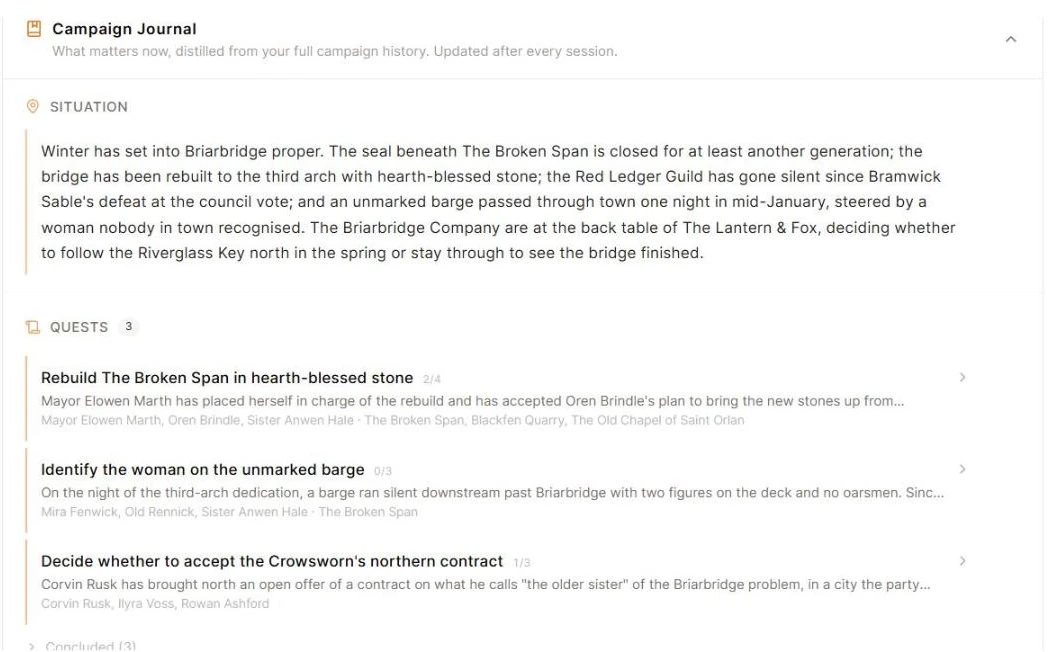
Edit anything in it
Each processed recording is folded into the journal. Quests advance, clues attach to threads, and the situation changes on its own. Regenerating a summary does not fold the session again.
You can change every entry in the journal. Hover any entry to reveal the pencil, or use Add in a section header.
- Rewrite the situation in your own words
- Add, edit, or remove a quest, and tick its objectives
- Add, edit, or remove a thread and its clues
- Add, edit, or remove a key character or location
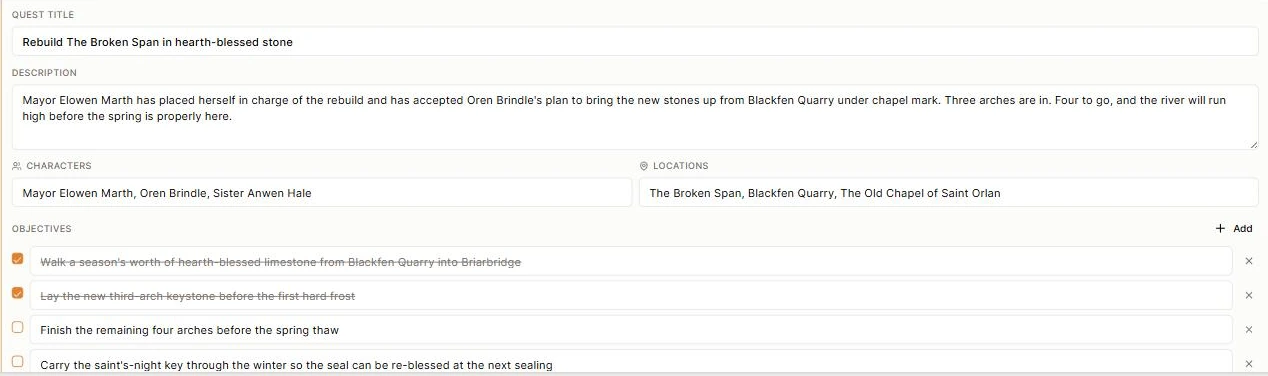
Your edits are kept when the next session is folded in.
Why entries move on their own
A quest or thread nobody has touched for a few sessions is marked Quiet for 3 sessions, then shelved into Dormant or Cold Cases. It stays in the journal and returns to the active list when the party picks it up again. Finished entries move to Concluded with a short closing line.
Saga20 sets those states for you. Delete an entry if it should not be there at all.
Keep it readable
- Use clear session titles and correct play dates
- Keep minor table chatter in the session summary rather than the journal
- Trim key characters and locations down to the names that matter now
Keep secrets out of the journal
If your campaign wiki is on, anyone with the link can read the journal exactly as you see it. There is no player filter. Keep secrets in a world entry instead, using private notes.
