A custom wiki link is the web address for your campaign wiki, which players can say out loud. Your players get an address like briarbridge.saga20.world instead of a link that ends in a long string of numbers and letters.
You continue editing the wiki in the same place as always. To read it, players use the custom link.
Set one up
- If Campaign Wiki is not on yet, turn it on under Settings, then Campaign.
- Open the wiki, then pick the cog in the corner to open Owner settings.
- Locate Custom link and enter the part that comes before .saga20.world.
- Choose Save.
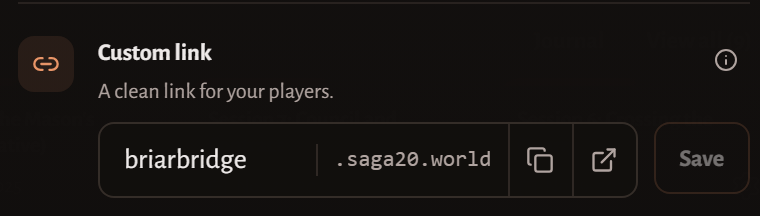
Copy and open buttons show up inside the field once it saves, and from then on Copy link in Settings gives out the short address. The original address still works, so every link you have already shared remains valid.
Use lowercase letters, numbers, and hyphens. When a name is taken, That wiki address is already claimed. will appear.
Custom wiki links come with Epic Campaign and Legendary Saga.
Change the link
Enter a new prefix, then choose Save once more.
A custom link works as a handle, not a reservation. As soon as you change it, the old address stops working and another campaign can claim it. Choose a name you plan to keep, and let your players know before you change it.
For help setting up the rest of the wiki, see Set up your campaign wiki.
