Connect Discord to post finished session summaries in a channel your group already uses.
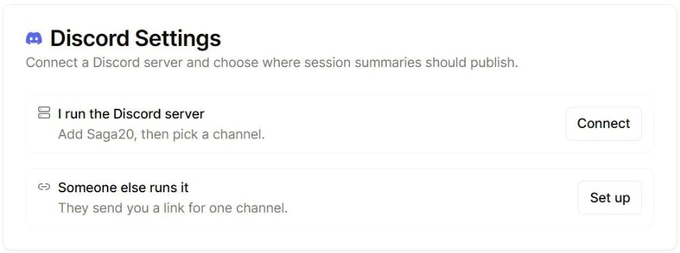
- Go to Settings, then Campaign, and look for Discord Settings.
- Choose Connect Server, or if your card offers two options, choose Connect next to I run the Discord server.
- In the Discord window that appears, select your server and give it your approval.
- Once you are back in Saga20, choose a channel beneath Discord Channel.
- Switch on Enable Discord Notifications.
Publish a recap
Open a completed session and choose Publish. Once you finish editing the recap, Update replaces the same post with your changes, and Remove from Discord sits under the three dots next to it.
Because publishing turns the session public, your campaign wiki shows the recap too whenever the wiki is on. The session remains public for as long as the post is up, so take the post down before you set the session back to private.
If the server is not yours, see Post recaps to someone else's Discord server.
Record a game played on Discord
Saga20 does not record Discord calls. To save the session audio, use a tool such as Craig and upload a single mixed MP3 or M4A file afterward. See Record an online tabletop session.
For other ways to show your campaign to your players, see Share your campaign with your players.
