Saga20 can post session summaries into one channel of a Discord server you do not run. Whoever runs that server creates a webhook link and sends it to you, and you paste that link into your campaign.
This is common at tables where one player records and the person running the game owns the server.
What the server owner does
-
Open Server Settings on the Discord server.
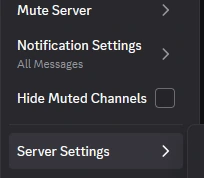
-
Choose Integrations under Apps, then Webhooks.
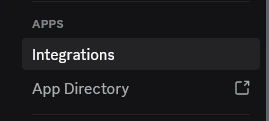
-
Select New Webhook and pick the channel the recaps should land in.
-
Name it Saga20, then select Copy Webhook URL.
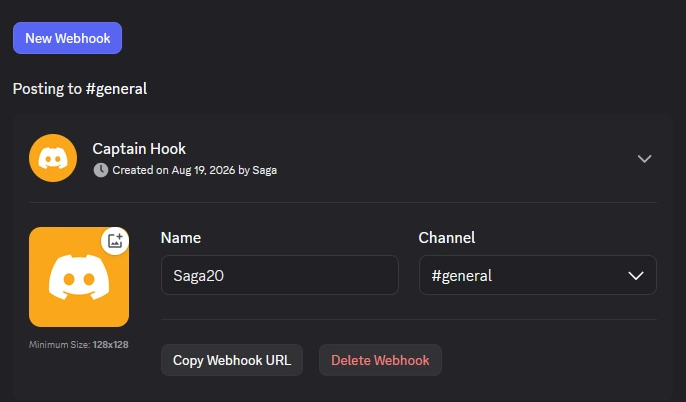
-
Send the link to whoever records your sessions.
The link allows posting to that one channel and nothing else. Whoever made it can delete it from the same screen at any time, which stops the posts immediately.
What you do in Saga20
- Open the campaign and go to Settings, then Campaign.
- Find Discord Settings and select Set up beside Someone else runs it.
- Paste the link into Webhook link.
- Select Connect.
Someone else runs it shows an Early Access badge and turns up on campaigns that have Early Access.
After that, sharing works like it does for any other campaign. Open a session that has finished and choose Publish, then select Update or Remove from Discord on that session's page.
A campaign posts to one Discord destination at a time. If a server is already connected, select Disconnect in Discord Settings first.
If you run the Discord server yourself, use Connect Saga20 to Discord instead.
