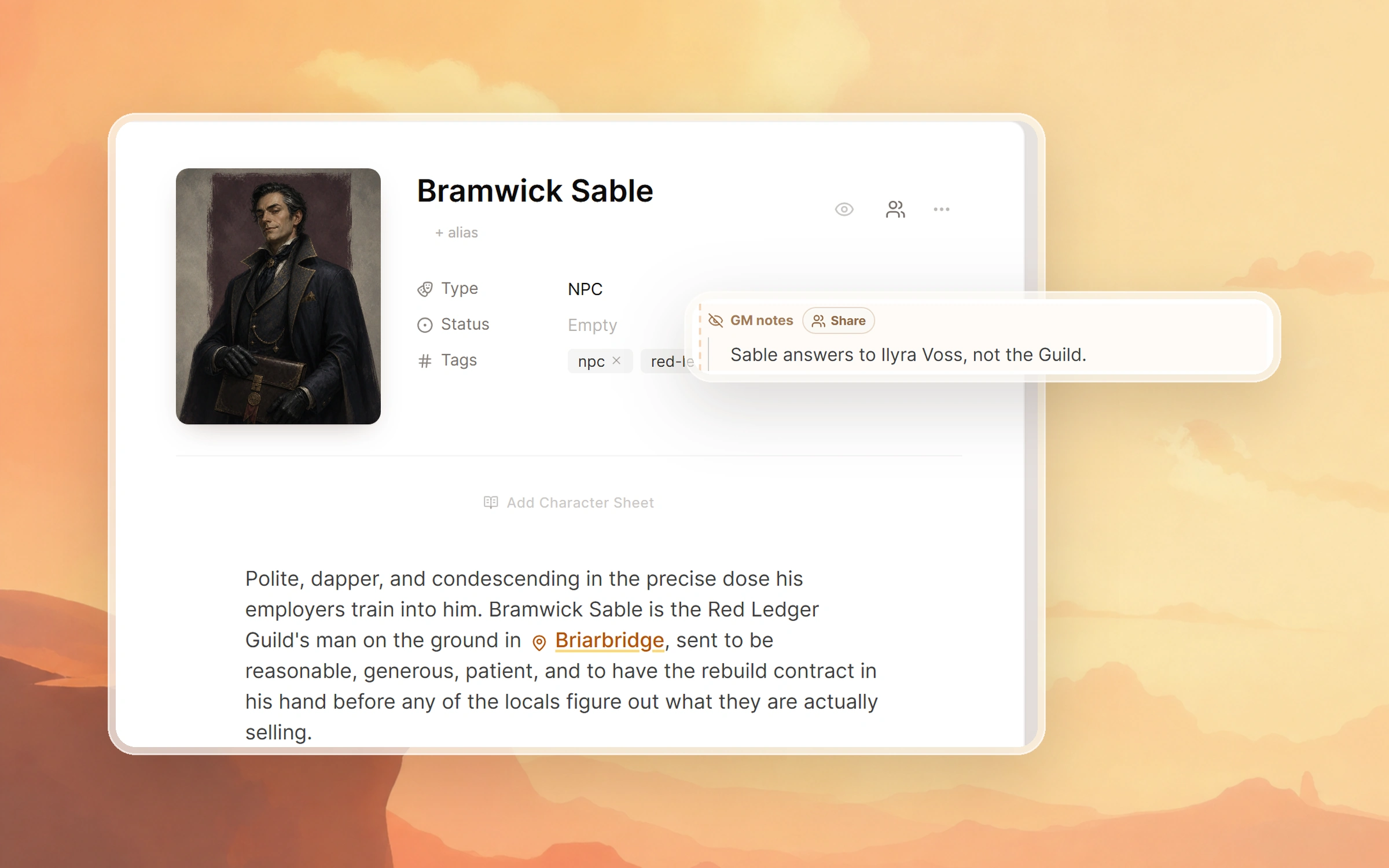
Once your campaign wiki is on, every page in your world is shared unless you hold it back. Three controls keep a secret: hide a whole page, hide one passage with GM notes, or keep a session private.
What players see
| In your campaign | What players see |
|---|---|
| A world page | The whole page, the moment the wiki is on |
| A page set to Hidden from wiki | Nothing at all. The page and its map pins stay off the wiki |
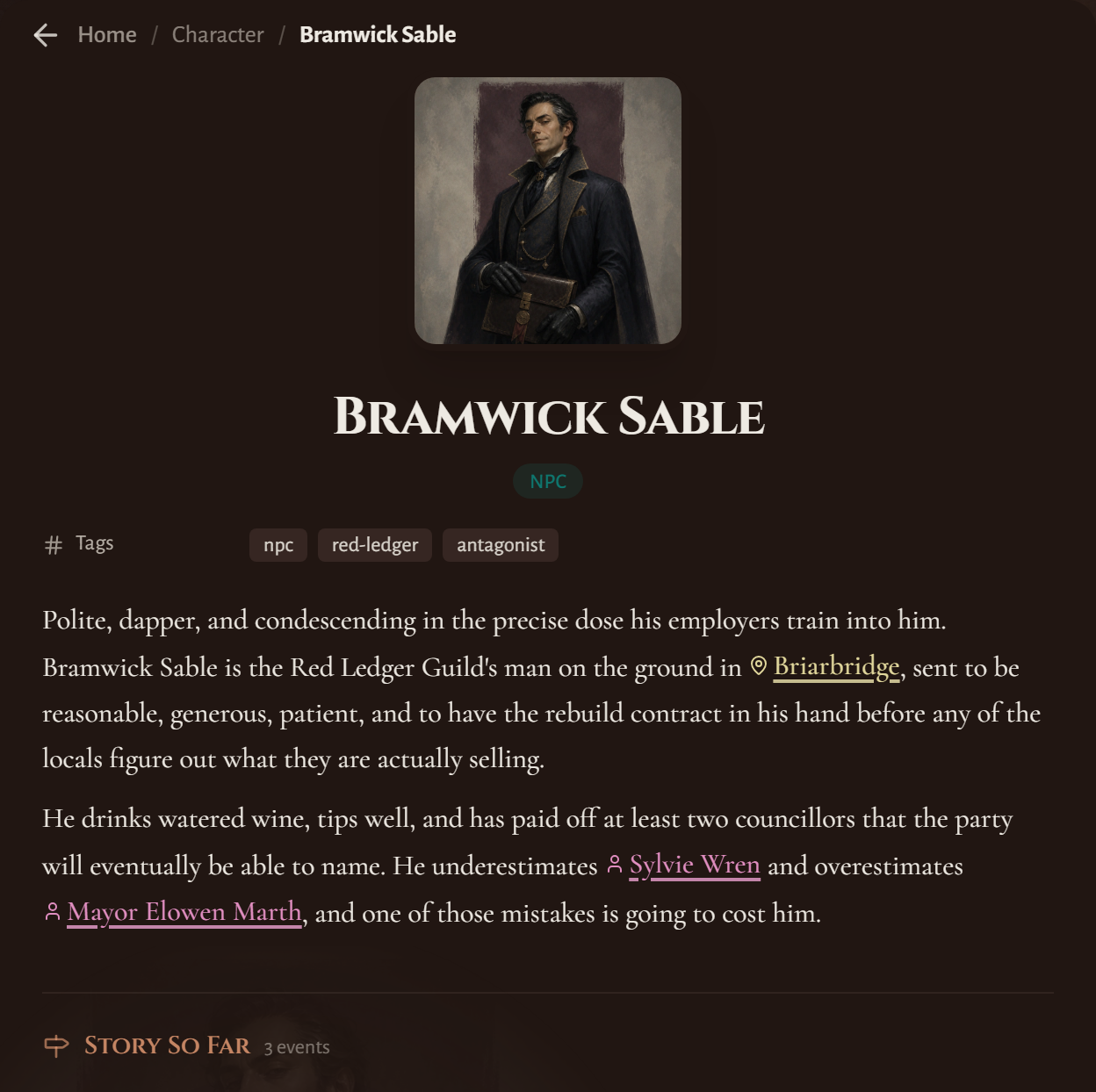
| A GM notes block inside a page | The rest of the page, with no sign of the note |
| A GM note you shared with chosen players | Those players read it while signed in, marked GM note shared with you |
| A session | Its recap, once the session is set to Anyone with link can access |
| The Campaign Journal | All of it, exactly how you see it |
| A map | The map and its pins, unless you choose Hide from wiki. Pins for hidden pages are left off |
When you open your own wiki signed in, the notes show there under a GM notes label, since you run the campaign. The last section explains how to view it the way a player does.
Hide a whole page until the party finds it
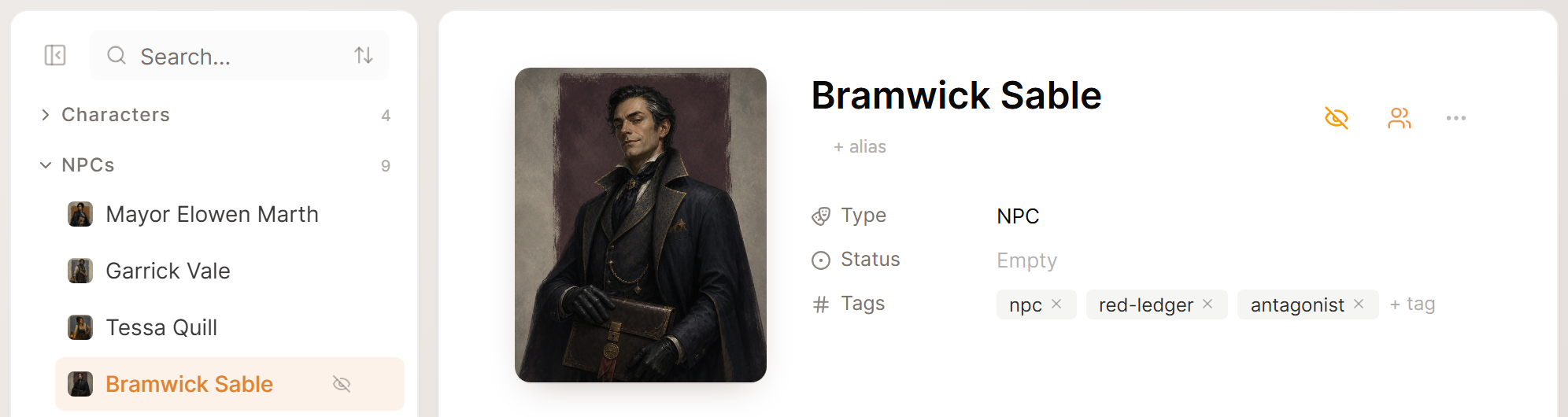
The eye at the top of any page in World toggles it between Visible in wiki and Hidden from wiki. While a page is hidden it does not appear in the wiki, so the villain behind the curtain or the vault nobody has found can wait for its reveal. Once the party arrives, select the eye again and the page shows up.
Hidden pages carry a crossed-out eye in the World sidebar, so you can see what is still held back. Maps behave the same way, with Hide from wiki in each map's menu.
Keep one passage private with GM notes
Most pages are safe to share apart from one line. The merchant is a spy, the key opens the vault, the priest lied about the fire. Drop that line into a GM notes block and the rest of the page stays shared.
You can add one with /gm in any page description, or select text you already wrote and choose Hide from players (GM only). Saga20 strips the block on the server before a page reaches a player, so it does not sit in the page source either. Once the secret is out, click the GM notes label and the passage joins the public description.
Reveal a secret to one player
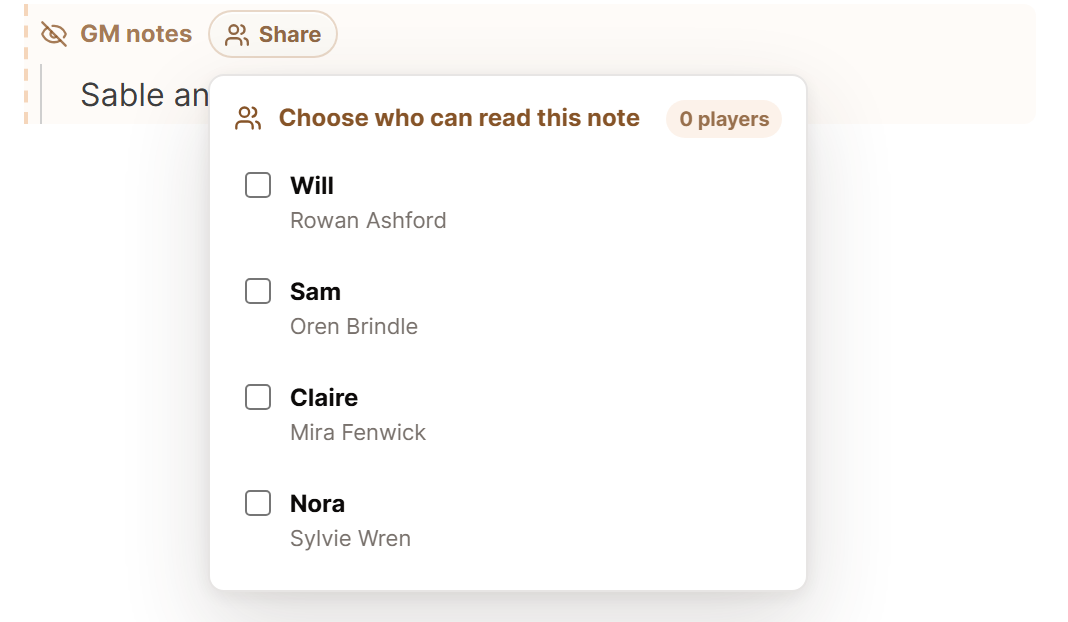
Some secrets belong to one character: a patron's demand, a letter from home, a vision only the cleric saw. Share on a GM notes block lets you pick who reads it, while everyone else still gets the page with no sign of it.
The player reads it on the wiki while signed in, marked GM note shared with you. Only players with an approved claim show up in the list, so bring your players in first. Every note is shared on its own, so one page can hold a secret for the warlock and a different one for the rogue.
Sessions and the Campaign Journal
A session stays private until you set it to Anyone with link can access. A public recap is shared as written, names included. Read it before you publish and trim what the party has not learned yet. Story So Far entries that came from a private session stay private too.
The Campaign Journal is shared in full with players, and it updates after every processed recording, including sessions you keep private. After a session with a big reveal, open the journal and edit or remove anything that gives too much away.
Campaign Chat is only for you and anyone who helps you run the game, and players cannot open it.
Check what your players see
Open your wiki in a private browser window, where you are signed out. A private browser window shows exactly what a visitor sees, and it is the quickest way to catch a page you meant to keep back.
Inside World, a location, faction, item or custom page that holds GM notes also has a second eye at the top. Preview as player shows the page without the notes, and Back to GM view brings them back.
Hide the page when the whole thing is a secret, and use GM notes when only one line is.
