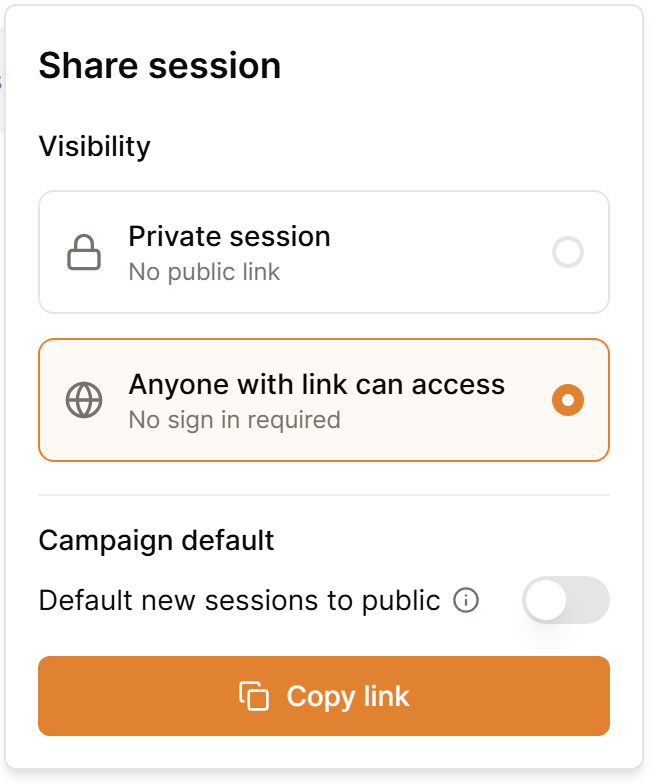
Every session begins as private. Open the session, select Share, then select Anyone with link can access so your players get a link they can open with no account.
- From Summaries in the sidebar, open the session.
- Go through the recap and take out whatever the party has not found out yet.
- At the top of the session, select Share.
- Select Anyone with link can access.
- Select Copy link and pass it along to your group.
Recaps on the campaign wiki
A session shows up on your campaign wiki after you set it to Anyone with link can access. Private sessions stay hidden from the wiki for all readers, including you. When players report they can see only one session, the others are nearly always still private.
To have every new session start out public, switch on Default new sessions to public in that same panel. Saga20 will then ask about the sessions you already have. Make all public switches them over, while Just future sessions keeps them as they are.
Make a session private again
Select Private session in that same panel. The link stops working for players, and the recap drops off the wiki.
A session posted to Discord stays public while that post is up. Choose the three dots next to Update on the session and select Remove from Discord first.
For anything else your players are able to read, see Share your campaign with your players.
