Duplicates tend to show up when one person or place gets written in a few different ways, or when overlapping campaign material is imported more than once.
Merge two characters
You can merge characters and NPCs in World.
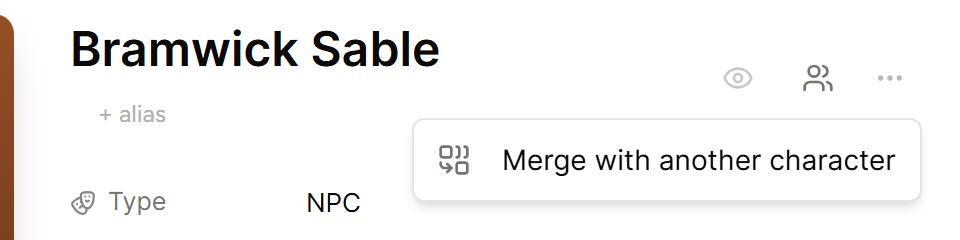
- Open the character you want to keep.
- Pick the three dots at the top of the page.
- Select Merge with another character.
- Look up the duplicate and pick it.
- Select Merge and delete to wrap up.
The duplicate is removed, and its notes, mentions, story, and aliases move to the character you kept. The old name becomes an alias too, so links in your recaps still point to the right page.
Combine other duplicate entries
For locations, factions, items, and custom entries, keep the entry with the most accurate details. Move any helpful information from the extra entry into it, then remove the extra entry.
Add alternate names
You can add nicknames, titles, shortened names, and common misspellings as aliases on a character. Under the character's name in World, select + alias, type the name, and press Enter. Say "Captain Veyra" and "Veyra" for instance. Both should lead to one character page.
Repair a wrong link
- Open the session summary or world entry that holds the link.
- Pick the wrong link and remove it.
- Type @ and then the start of the correct name.
- Pick the right entry from the list.
Your edits save automatically as you work.
Avoid duplicates during import
Start with one full import, check each suggestion, and remove entries you already made. If two source documents cover the same character, combine that material before importing when you can.
If an entry cannot be edited or removed, email [email protected] with the campaign name and the two entry names.
