Speaker review lets you match each detected voice to the right person before the summary is created. Labels you add here help Saga20 use names correctly and recognize regular players later.
- Once processing finishes, open the session and look for Player Analysis.
- Play the samples for each voice.
- Select Label Speaker and choose the character that player runs.
- Choose GM for your own voice, or leave it without a label.
- Type a new name if a character is not in the list yet.
- Select Generate Summary when every regular voice has the right name.
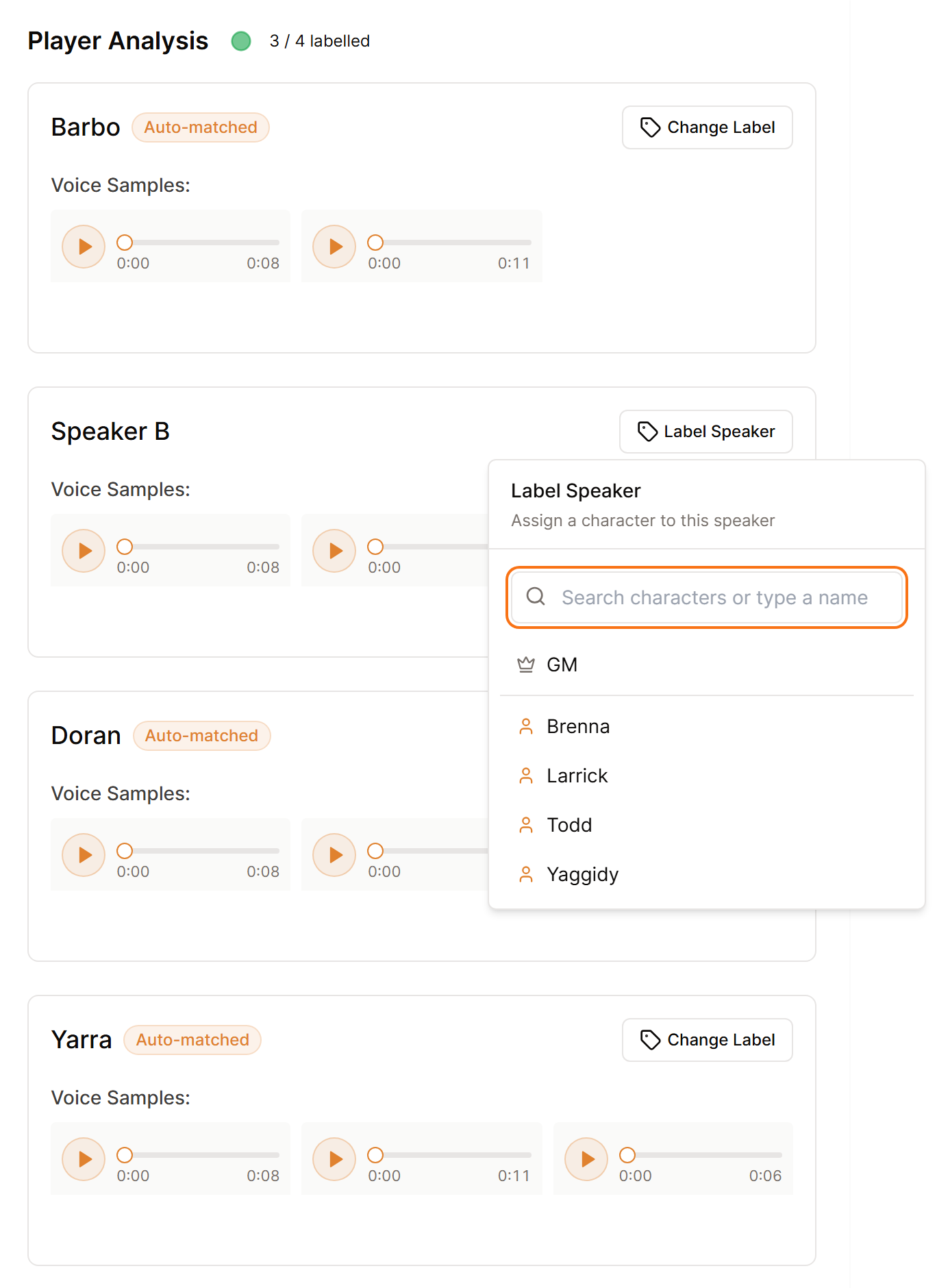
Label the speakers before you generate the summary, while the samples are there to play. Player Analysis sets up the first summary and closes once that summary is written.
Each name can go on one voice only. If one person appears as two voices, label the clearer one and leave the other without a label, or use the arrows beside a sample to move it to the right voice.
The player count is a helpful guide, not a character count. Include the campaign owner and count each person once. See Set your player count.
Correct labels help create voice profiles for future sessions. The first session with a new group may need more manual review. Later sessions should take less review as regular voices are matched and marked Auto-matched.
If the voices were too close to separate, a notice appears in place of the list. You can still generate the summary. If two voices are combined or a speaker is missing, see Fix a wrong or missing speaker.
After the summary is written, continue with Review World Updates after a session.
