Part of a page can be hidden with a Secret. Everything else on that page remains shared, so a public description and your private details can appear on the same page.
Any World Builder entry can hold one, whether that is a character, an NPC, a location, a faction, an item or a type you made yourself. GM notes was the name this feature used before. Every note you wrote under that name is now a Secret, and you do not need to change anything.
Add a Secret
- Go to World and pick the entry you wish to edit.
- Click the spot where the Secret belongs.
- Enter /secret and pick Secret.
- Type the private text into the block.
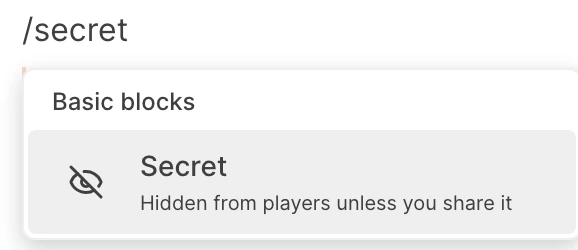
The earlier /gm command remains usable. If you type /gm, /dm, /private or /hidden, you get the same Secret.
For text you wrote earlier, select it and pick Make secret (hidden from players) from the formatting toolbar.
What it looks like
The block sits inside the description, marked by a dashed warm border and a Secret label. All content within the block remains private.
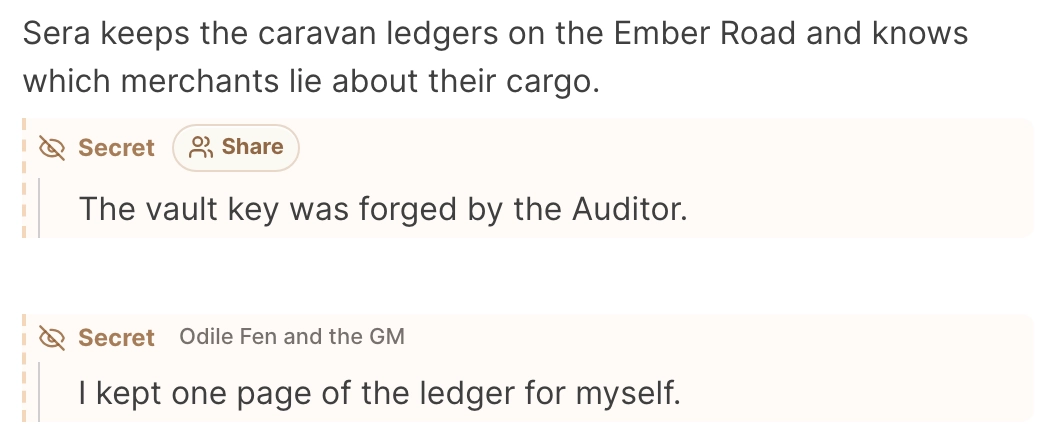
The text of your Secrets never reaches your players. Saga20 strips them out before a page is delivered to a player, so the text is absent from the page source too. Campaign Chat works only for you and any Co-GMs, which means it can read your Secrets while answering.
To review your work on a location, faction, item or custom page, choose the second eye at the top to enter Preview as player, then return with Back to GM view. On any page, you can open your wiki in a private browser window, where you are signed out.
Players can keep Secrets too
On pages a player may edit, that player can type /secret. Those pages are the character they claimed and any page you granted them edit access to. The command works on the web and in the page editor of the Saga20 mobile app.
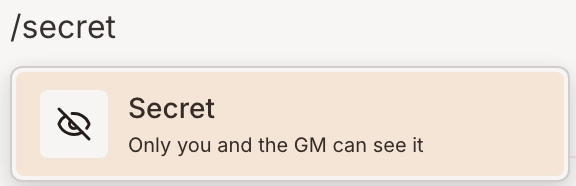
That player, you and any Co-GMs can see a player's Secret. Other players cannot see it. On the block the player reads Only you and the GM, while you see the player's name.

A player may store a character's hidden goal, a promise they made or a note to you about what they hope happens next. A player's Secret has no Share button.
Good uses
- The true motive of an NPC
- A property an item keeps hidden
- Plans for an encounter
- Details about a location that nobody has found
- Notes to recall before the next session
Make a Secret public
Once the secret is out, click the Secret label. The text remains in place, the block around it goes away and the passage joins the ordinary description. Players can do the same with Secrets they own.
When the entire entry has to stay secret, hide the full page with the eye at the top of the entry. A Secret fits when most of the page is safe for players and a smaller part is not.
For a player to read one of your Secrets, see Share a Secret with specific players. To learn every way of holding something back, see Keep secrets from your players.
