

Direct Discord Integration
Bring your summaries exactly where your players hang out. Connect your campaign to your server and share session recaps with one click.
Connect your Campaign Settings
Connect your Campaign Settings
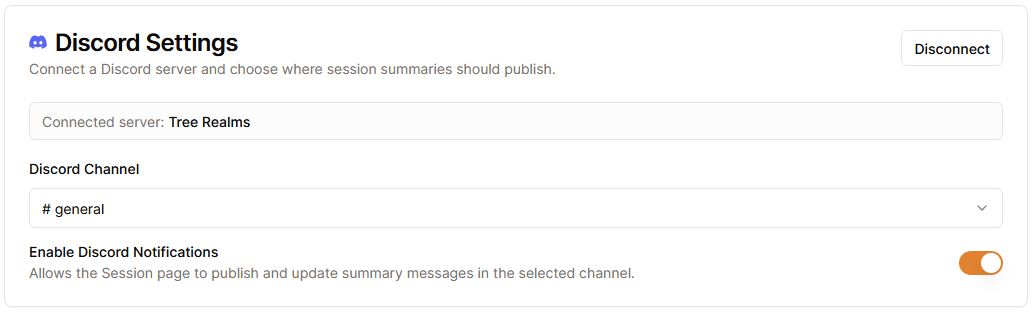
Head over to your campaign settings and connect to your Discord Server. You can authorize the Saga20 bot for your server, and then choose exactly which text channel gets the summaries. These settings are tied strictly to each campaign, so your different groups stay completely separate.
Review and Publish Session
Review and Publish Session
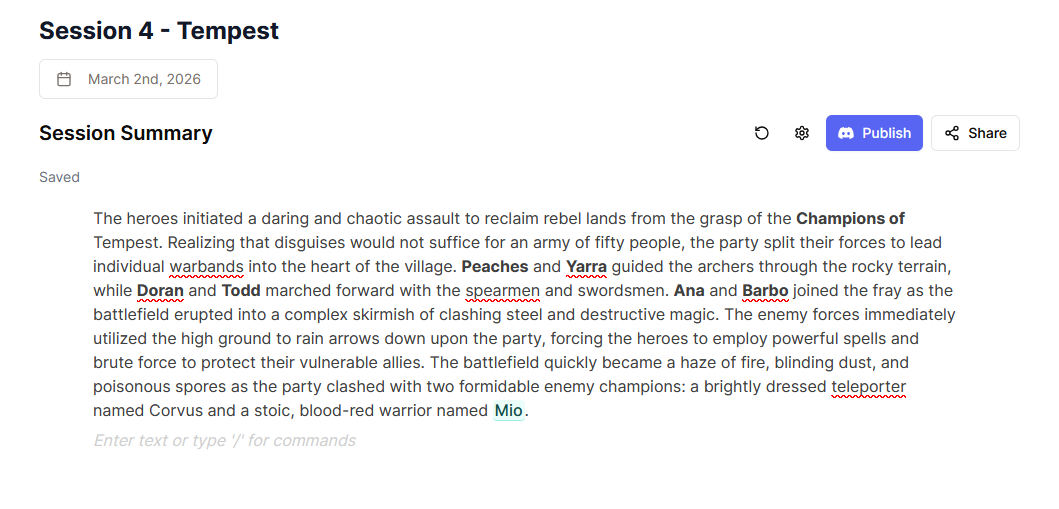
After your session finishes processing, review the summary page. Need to tweak something? Edit your summary first. When it looks perfect, click the "Publish to Discord" button. Saga20 instantly fires the recap off to your chosen channel.
Keep players in the loop
Keep players in the loop
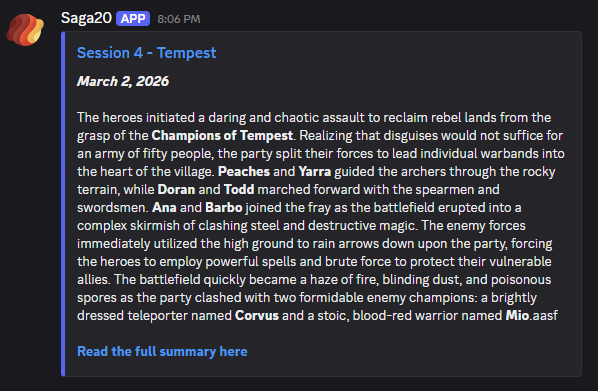
Your summary drops into your Discord beautifully formatted. It includes the title, date and summary body (truncated to fit Discord limits). Update the session later? Just click "Update Discord Message" on Saga20 and the Discord message syncs up instantly.
Frequently Asked Questions
Are summaries sent to Discord automatically?
You're always in complete control. Your notes won't be sent until you specifically click 'Publish to Discord.' This gives you a chance to review the generated summary, tweak the details, and make sure everything is perfect before your players see it.
Does the bot @everyone or ping roles?
The bot currently simply drops the formatted summary into your chosen channel without any intrusive pings or @everyone tags. It keeps your server notifications clean while delivering the recap exactly where players can read it on their own time. We will consider adding the option to ping in the future.
Can I edit or delete the Discord message?
Absolutely! If you spot a typo or want to expand on a scene after publishing, simply update the summary on Saga20 and click 'Update Discord Message'. The Discord message will sync your changes instantly. If you need to remove the summary entirely, you can easily delete the message directly within Discord or the Saga20 app.
Will the bot join my voice channel to record?
At this stage, the integration focuses purely on delivering your generated session notes directly to players. You'll continue recording your sessions as usual. We'd love to hear if an integrated recording bot is something your table would use, let us know via the feedback form in the app!
Can players use slash commands?
The Saga20 bot is designed purely as a one-way publisher to bring your recaps into your server. It doesn't listen for slash commands or interact with the chat to keep things simple and secure. If you have ideas for interactive commands that would help your campaign, please drop us some feedback!